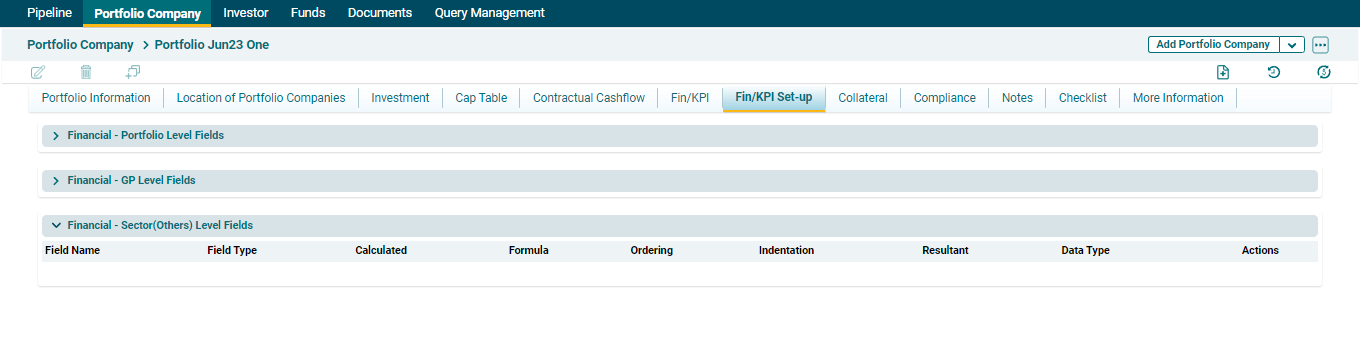
Sector-Level Field
- Field Name: To specify name of the field.
- Field Type: To specify the field type, i.e. Income Statement, Cashflow Statement, Balance Sheet, KPI, or ESG.
- Calculated: To specify if it is to be calculated or not. If you check the box, The Resultant field will auto select CALC value.
- Formula: To add a formula for any calculated field, you must copy the exact name of already existing fields and use the mathematical operators like +,-,* etc. There should not be any space between the values.
- Ordering: To specify the ordering.
- Indentation: To specify the indentation, 0, 1, and 2.
- Resultant: To specify the operation, i.e. Sum, Average, CALC, Last Value, and First Value.
- Data Type: To specify the data type, i.e. Currency, Non-Currency, or Percentage.
To modify sector-level fields, follow the below steps:
1. Navigate to Fin/KPI tab and click on Financial – Sector Level Fields button.
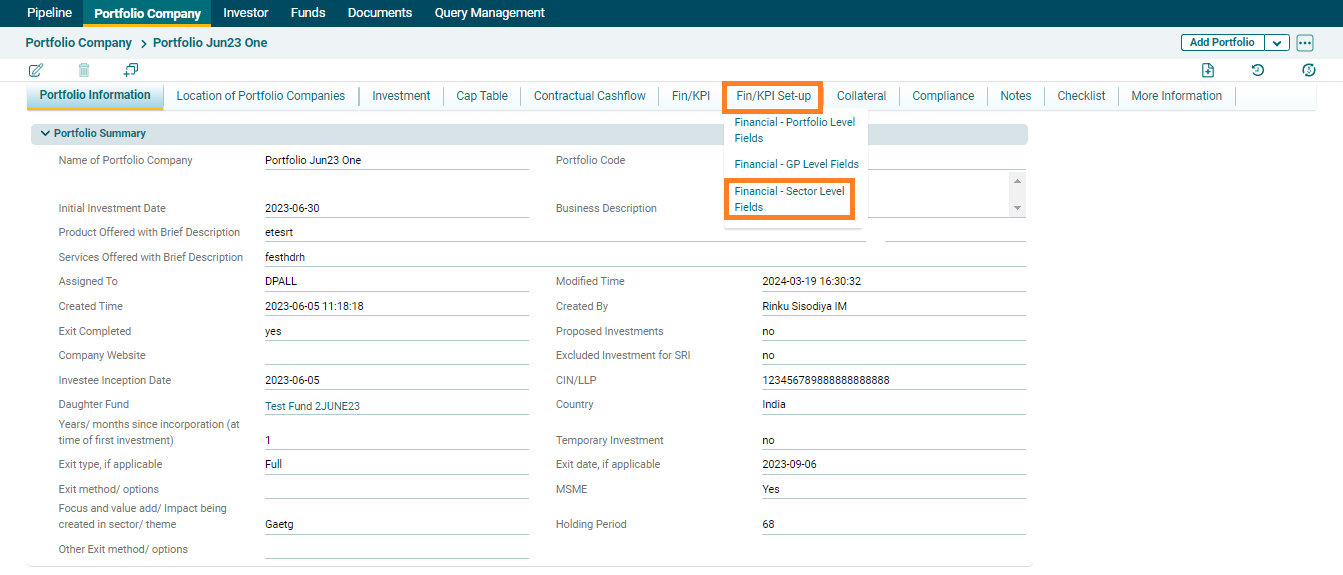
2. This functionality is not editable, values will by default be populated.