Portfolio Company
Bond
To add a Bond
instrument, follow the below steps:
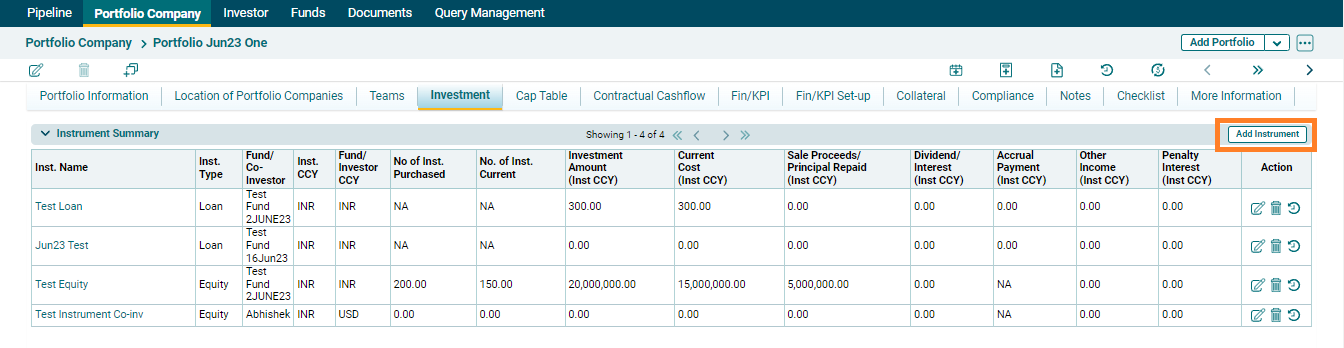
1. Click on Add Instrument button in the top right corner of the Instrument Summary panel.
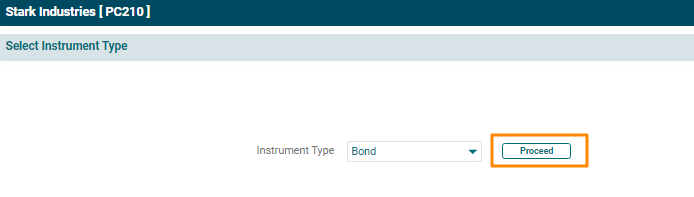
2. The Instrument Type window is displayed. Select Bond from the Instrument Type dropdown list. Click Proceed.
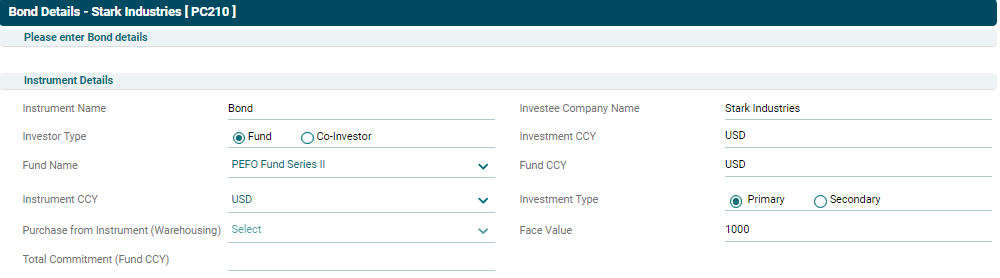
3. The Bond Details window is displayed. Enter the following details:
- Instrument
Details
- Instrument Name: Specify the name of the instrument.
- Investee Company Name:
- Investor Type: Choose whether Fund or Co-investor is investing in the instrument.
- Investment CCY: Auto-populated field based on the portfolio company.
- Fund Name/ Co-Investor Name: Select the Fund/Co-investor
name from the dropdown list.
- Fund CCY: Auto-populated field based on the selected Fund/Co-Investor.
- Instrument CCY: Select the instrument currency.
- Investment Type:
- Purchase from Instrument (Warehousing): Select the instrument name in case of warehousing.
- Face Value: Specify the face value of an
instrument.
- Total Commitment: Specify the total amount of fund committed in the instrument.
- Bond Disbursement/Acquisition Details
- Acquisition
Date: Select the date on which the bond was acquired.
- Number of
Instruments: Input the number of bond instruments acquired.
- Amount: Input the amount of the bond instrument.
- Purchase
value %: Input the percentage of bond amount acquired.
- Acquisition
Amount: Displays the total acquisition amount of the bond.
- Acquisition Fee: Input the acquisition fee.

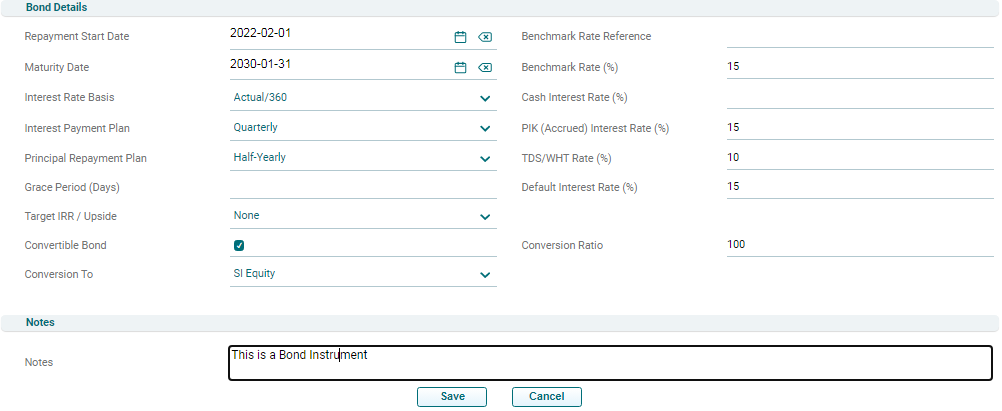
- Bond Details
- Repayment
Start Date: Specify repayment start date.
- Maturity Date: Specify the maturity date of the instrument.
- Interest
Rate Basis: Choose the interest rate basis from the dropdown list.
- Interest
Payment Plan: Specify whether interest payments shall be monthly, quarterly,
half-yearly, or yearly.
- Principal Repayment Plan: Specify whether principal
repayments shall be monthly, quarterly, half-yearly, or yearly.
- Grace
Period: Input the grace period for repayment.
- Target IRR/
Upside Amount: Input the target IRR or upside amount, if any.
- Convertible
Bond: Check the box, in case bonds are convertible.
- Conversion
To: Choose the equity instrument in which the bond shall be converted.
- Benchmark
Rate Reference: Specify the reference for the benchmark rate.
- Benchmark
Rate: Specify the Benchmark Rate.
- Cash Interest
Rate: Specify the base interest rate.
- PIK
Interest Rate: Specify the interest rate, if the bond is a Payment-in-kind
bond.
- TDS/WHT Rate: Specify TDS/Withholding Tax rate.
- Default
Interest Rate: Specify the default rate of interest.
- Conversion
Ratio: Specify the conversion ratio for convertible bonds.
- Notes: Specify any details about the instrument in the Notes section.
4. Click Save.
5. To edit an
instrument, click the Edit ( ) icon
in the Actions column. The Instrument Details window is displayed. Update the
details and click Save.
) icon
in the Actions column. The Instrument Details window is displayed. Update the
details and click Save.
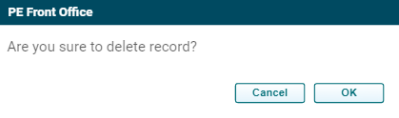
6. To delete
an instrument, click the Delete ( )
icon in the Actions column. The delete window is displayed. Click OK to delete the instrument
record.
)
icon in the Actions column. The delete window is displayed. Click OK to delete the instrument
record.
7. To view an
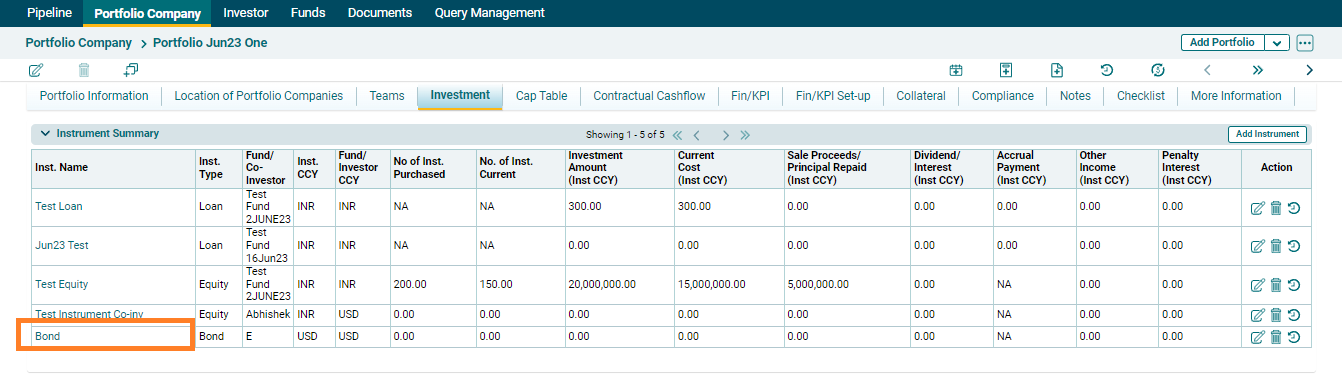
instrument, click the Instrument Name.