Portfolio Company
ILPA Portfolio Company Update Report
This functionality is specifically for SRI
To view and download ILPA Portfolio Company Update reports, follow the below steps:
1. Click on Reports and Analytics in the main menu.

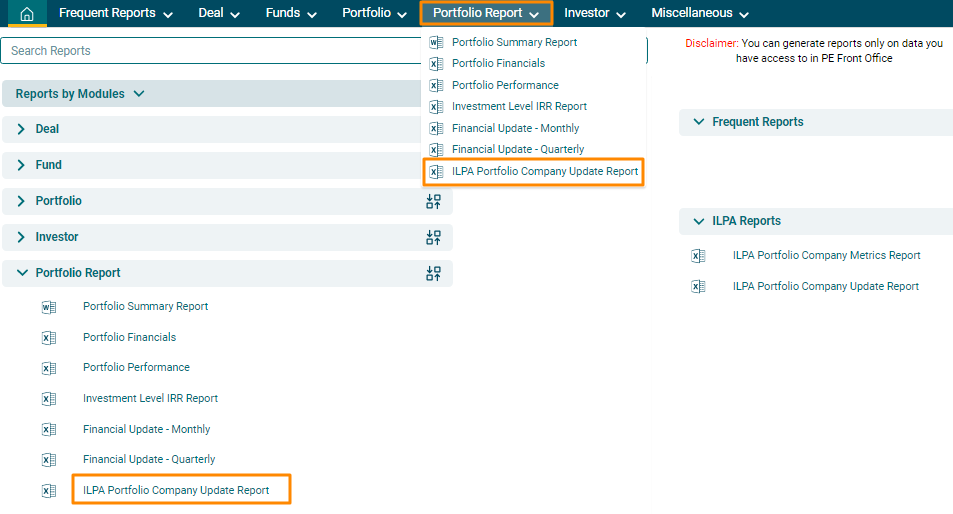
2. You can access the report
from the dashboard by clicking ILPA
Portfolio Company Update Report in the Portfolio Report panel or from the Portfolio Report drop-down
menu in the blue vertical bar.
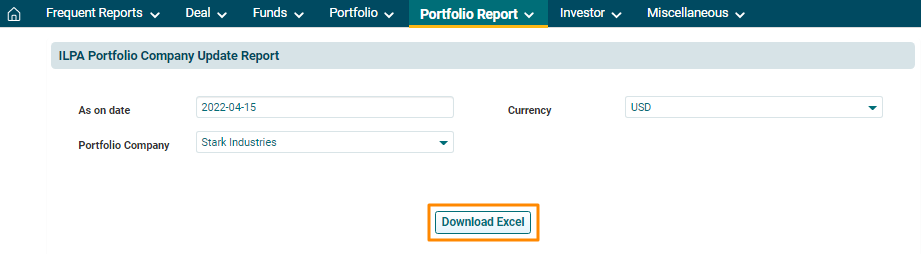
3. The ILPA Portfolio Company Update Report window is displayed. Specify the date until which you wish to download the report. Choose the portfolio company from the drop down list. Choose Currency. Click on Download Excel button. The excel file will download.