Portfolio Company
Expected Cashflow Panel
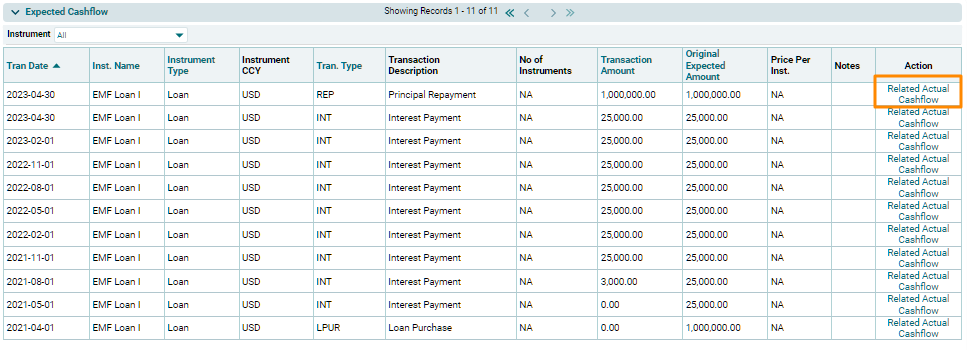
The Expected Cashflow panel displays the expected future transactions from the Investment Tab. The details included are:
- Trans Date: Displays the transaction date of actual cashflow received.
- Inst. Name: Displays the Instrument Name against which payment has been received.
- Instrument Type: Displays the type of instrument.
- Instrument CCY: Displays the instrument currency.
- Trans Type: Displays the transaction type.
- Transaction Description: Displays the transaction description.
- No. Of Instruments: Displays the number of instruments.
- Transaction Amount : Displays the transaction amount.
- Original Expected Amount: Displays the expected amount.
- Price Per Inst: Displays the price per instrument.
- Notes: Displays notes, if any.
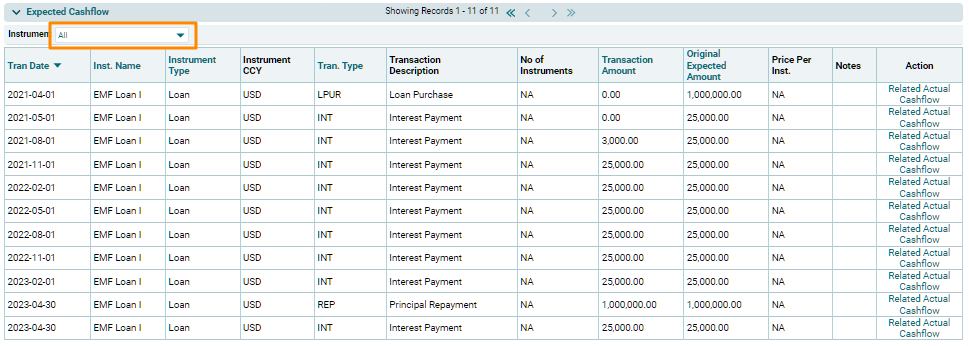
Select an instrument from the dropdown list and data corresponding to the selected instrument will be populated.
If Expected Cashflows or AS of the basic lending agreement needs to be updated later, that can be achieved by directly updating the Expected Cashflow Panel or AS in the Contractual Cashflow Tab.
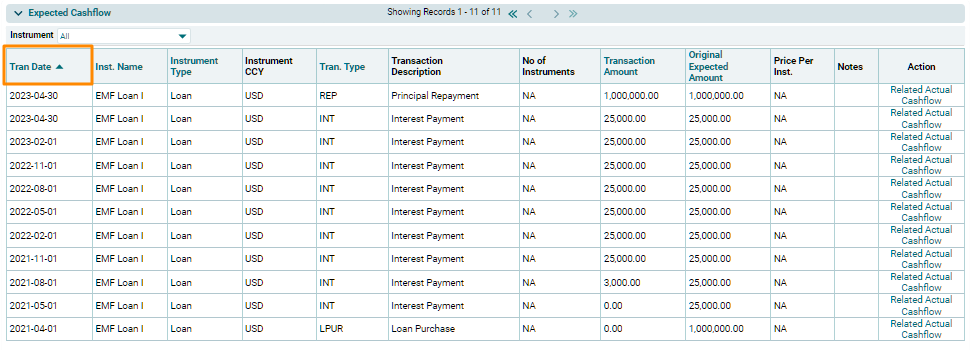
You can also sort the data on the Transaction Date column either in
Ascending or Descending order by using the blue arrow which can be in an upward or downward direction.
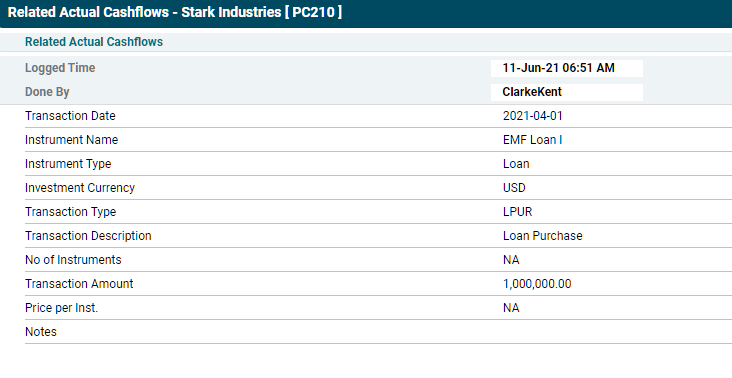
You can view the details of related actual cashflow of any expected cashflow along with the date and time stamp as well as the name of the user that has marked the actual cashflow. Click on Related Actual Cashflow link in the Action column.