
Create Folder
In Documents, you can create folders to save documents in specified folders.
To create a custom folder, follow the below steps:
1. In Custom Settings, click on Folder Management.

2. The list of folders is displayed. Click on Add Folder button in the top right corner of the panel.
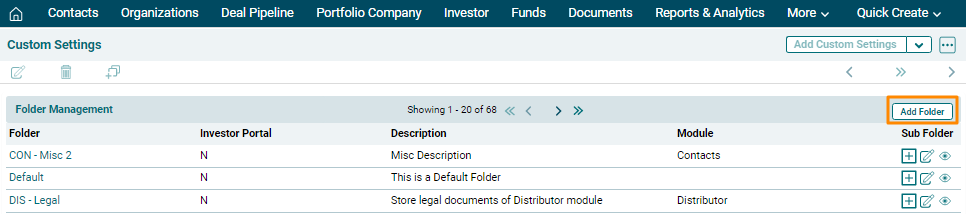
3. Choose the Module and enter the Folder Name and Description. Check the External Folder check box to create an Investor Portal specific folder.
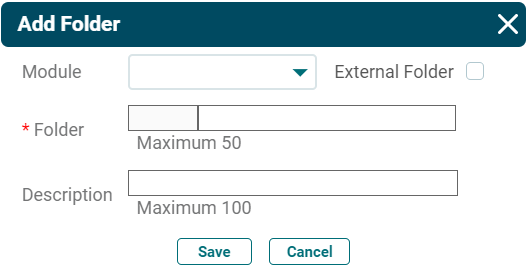
4. Click Save.
Note! Folders will be displayed to all users in your PE Front Office. If you do not want files to be displayed to other users, enable permissions(E.g.: Private) from Sharing Access.