Corporate Collaterals
Corporate collateral is fundamental to making sure all salespeople (and any other employees who have contact with current and potential customers) communicate your company's brand in a consistent way. In Corporate Collaterals, users need to give either Personal Guarantees or Corporate Guarantees.
The details included are:
- Nature of Collateral: Displays the nature of the collateral.
- Plant & Machinery (USD): Displays the value of the collateral.
- As of: Displays the date on which the assets have been valued.
- Personal Guarantee: Displays if there is a personal guarantee provided.
- Corporate Guarantee: Displays if there is a corporate guarantee provided.
To modify Corporate Collaterals, follow the below steps:
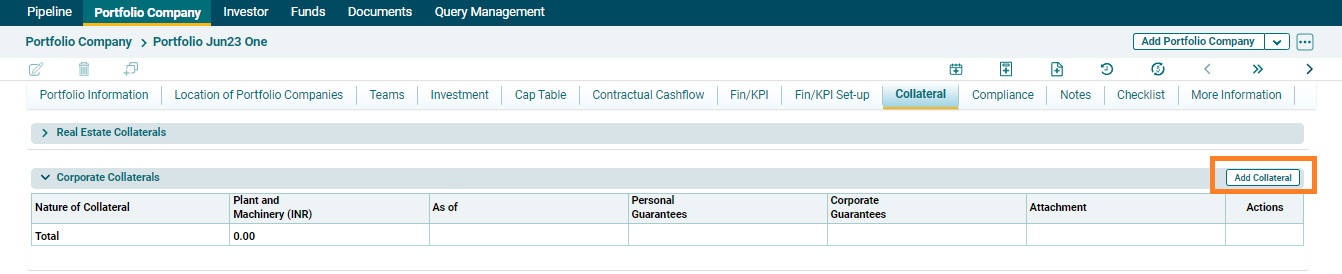
1. Click on Add Collateral button in the top right corner of the panel.
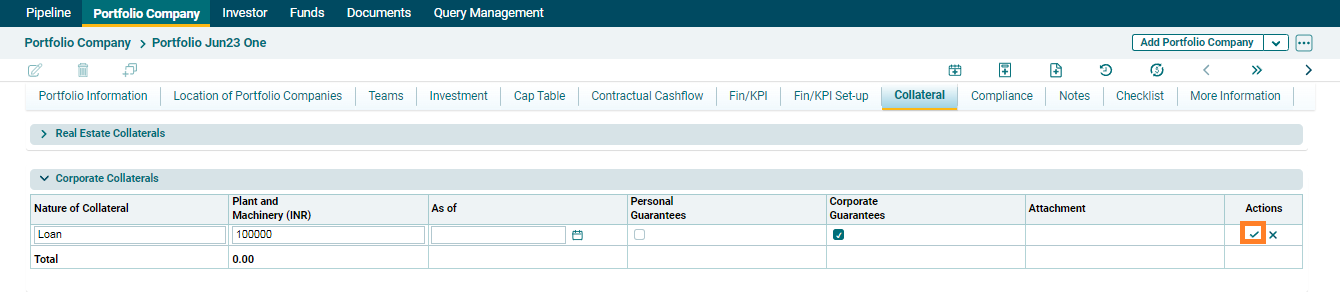
2. The field will be activated. Update the details and click the Check ( ) button to save the details.
3. To edit the Corporate Collateral, click on Edit ( ) button in
the Action column. Update the details and click on Check (
) button in
the Action column. Update the details and click on Check ( ) button to save.
4. To delete the Corporate Collateral, click on Delete ( )
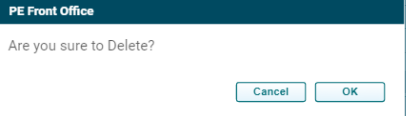
button in the Action column. The Delete window is displayed. Click OK to delete
the collateral details.
)
button in the Action column. The Delete window is displayed. Click OK to delete
the collateral details.