
Collaterals Summary
Collaterals summary panel allows you to view a consolidated view of all different types of collaterals captured.
To view the summary of collateral, follow the below steps:
1. Navigate to the Collateral tab and click on Collaterals Summary from the list.
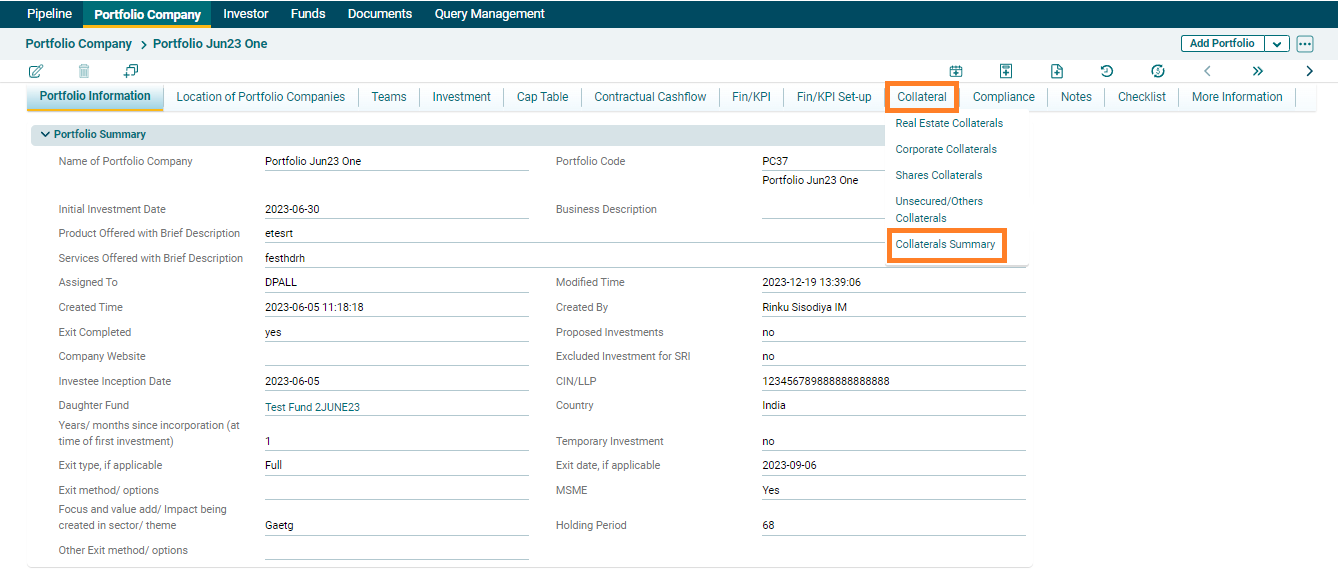
2. The collateral summary panel will be displayed.
