
Checklist
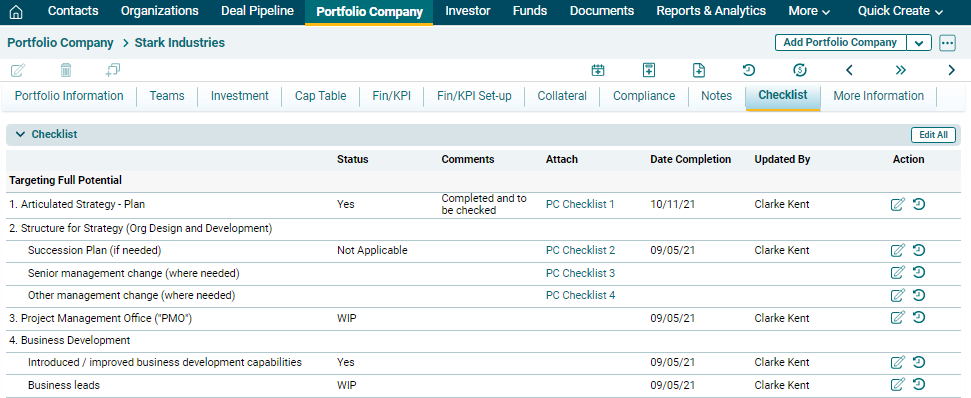
The checklist tab keeps the records of the actions that must
be performed.
Edit A Checklist Item
To edit a checklist, click on Edit ( ) icon in the Action
column. Update the details, and click check (
) icon in the Action
column. Update the details, and click check ( ) button to save.
View History
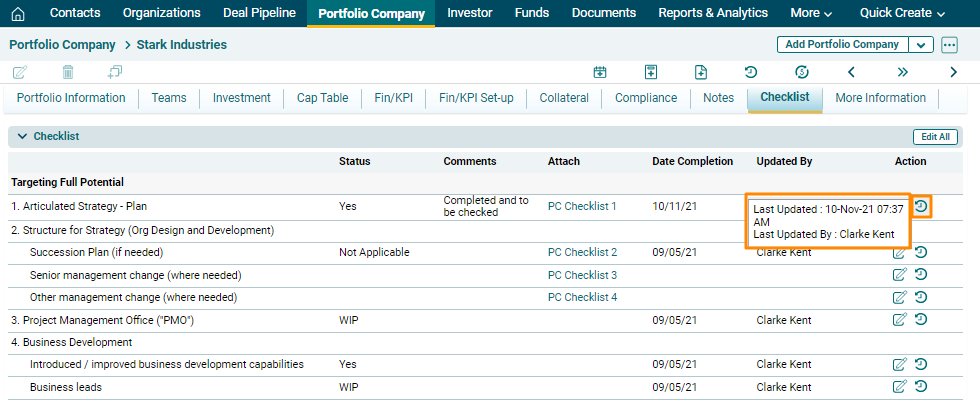
To view history, navigate to View History in the Action
column. The history is displayed.
Edit All
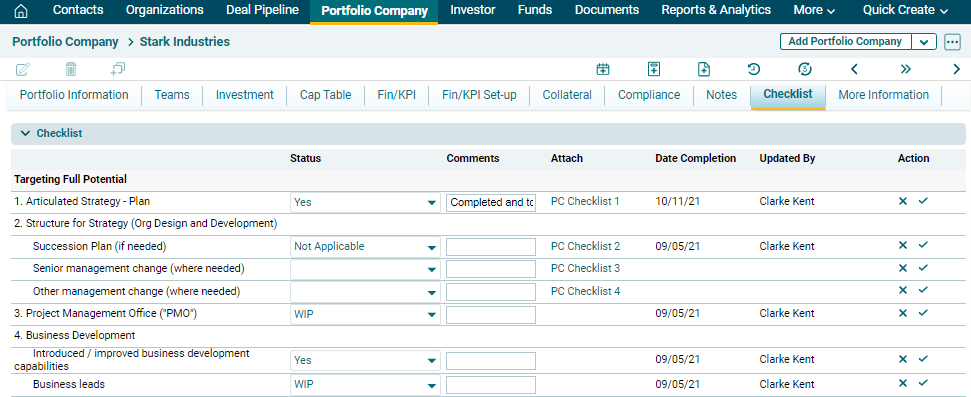
To edit all contents of the checklist, click on Edit All ( ) button in the top right corner of the panel. Make the changes and click check button against the
respective row to save.
) button in the top right corner of the panel. Make the changes and click check button against the
respective row to save.
) icon in the Action
column. Update the details, and click check () button to save.) button in the top right corner of the panel. Make the changes and click check button against the
respective row to save.