
Add/Update Existing LP
To update or add Existing LP, follow the steps below:
1. Click on the down arrow button next to Add member button. Click on Download Template.
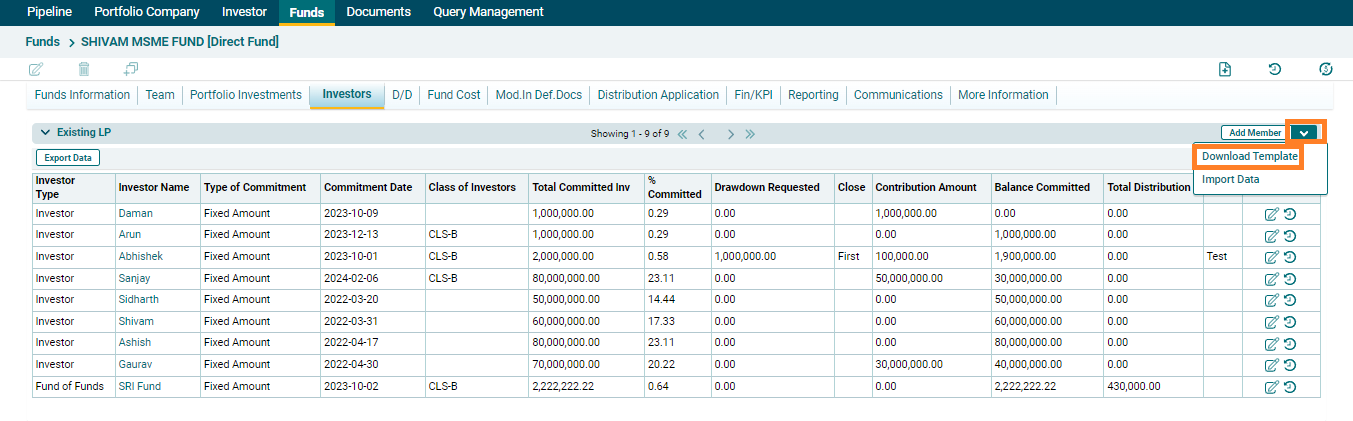
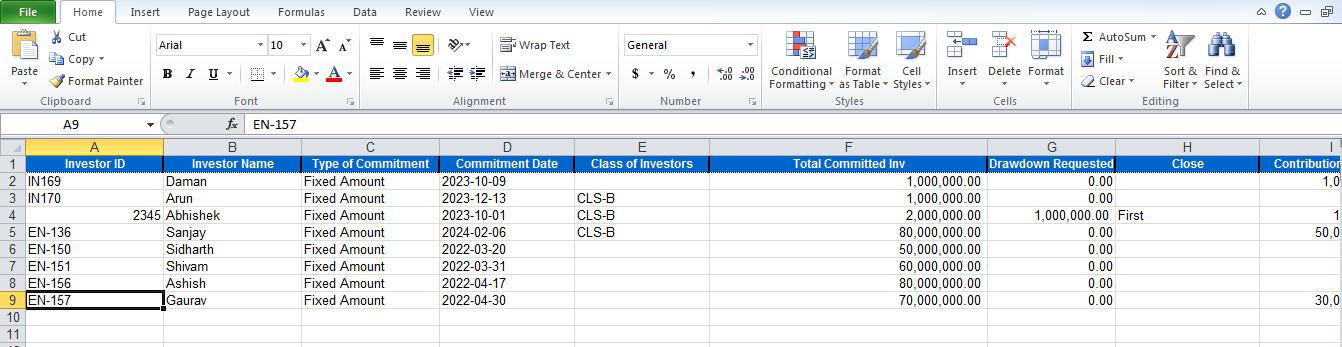
2. The Excel file would be downloaded, open the Excel sheet on your desktop and make the necessary add-ons or updates.
3. Then click on the down arrow button next to Add member button. Click on Import Data.
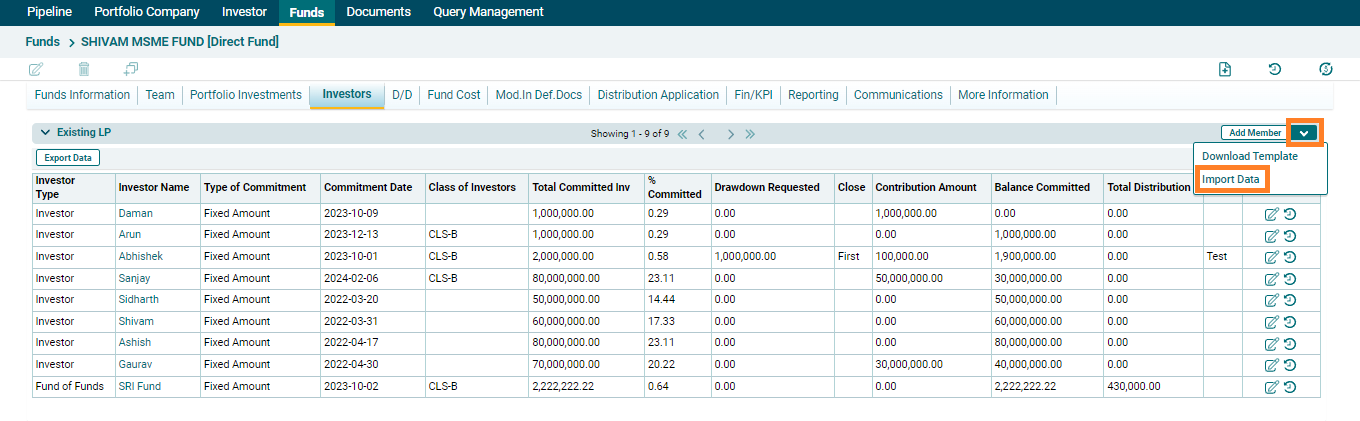
4. The updated data will be displayed on list view.