Funds Administration
IC Members
This functionality is specifically for SRI
IC Members panel
captures details of internal team members associated with the deal. The details
included are:
- Name: Name of the
member.
- Email id: Email ID of
the member.
- Start date: Start date
of
- End Date: End date of
To manage IC Member details,
follow the below steps:
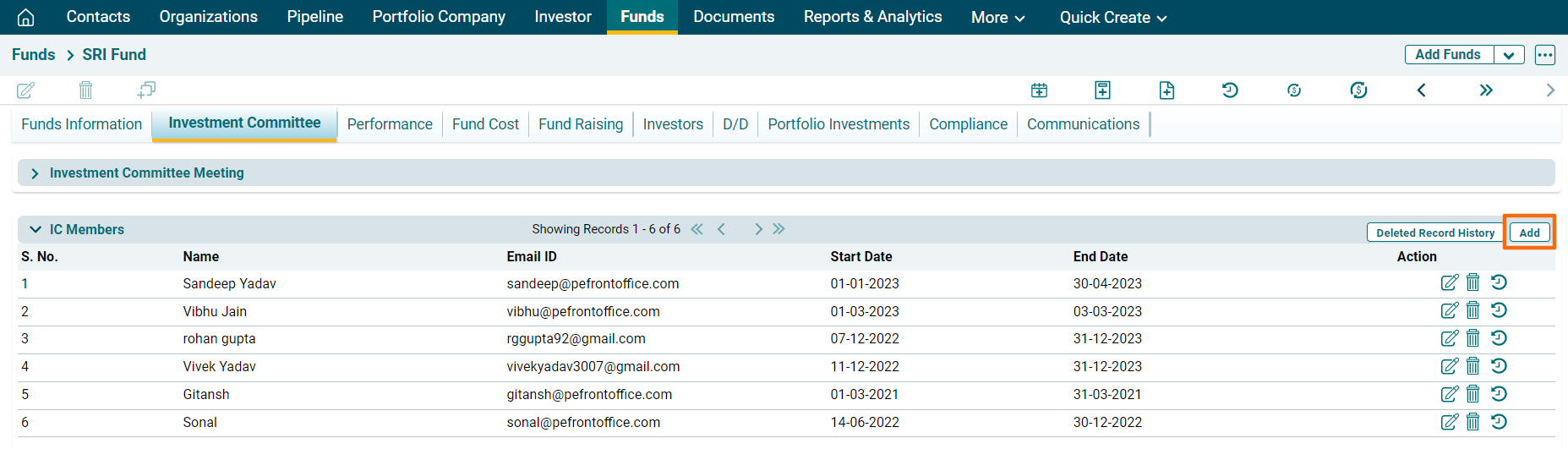
1. Click on Add button in
the top right corner of the panel.
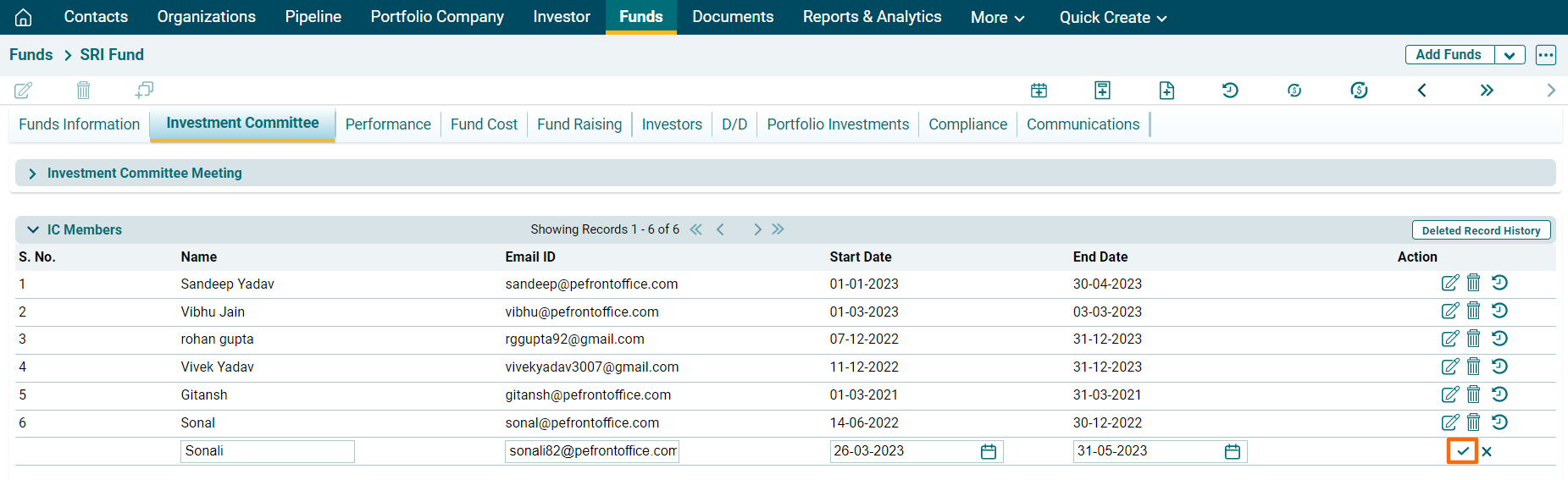
2. Update the details,
and click the Check button from Actions column to save.
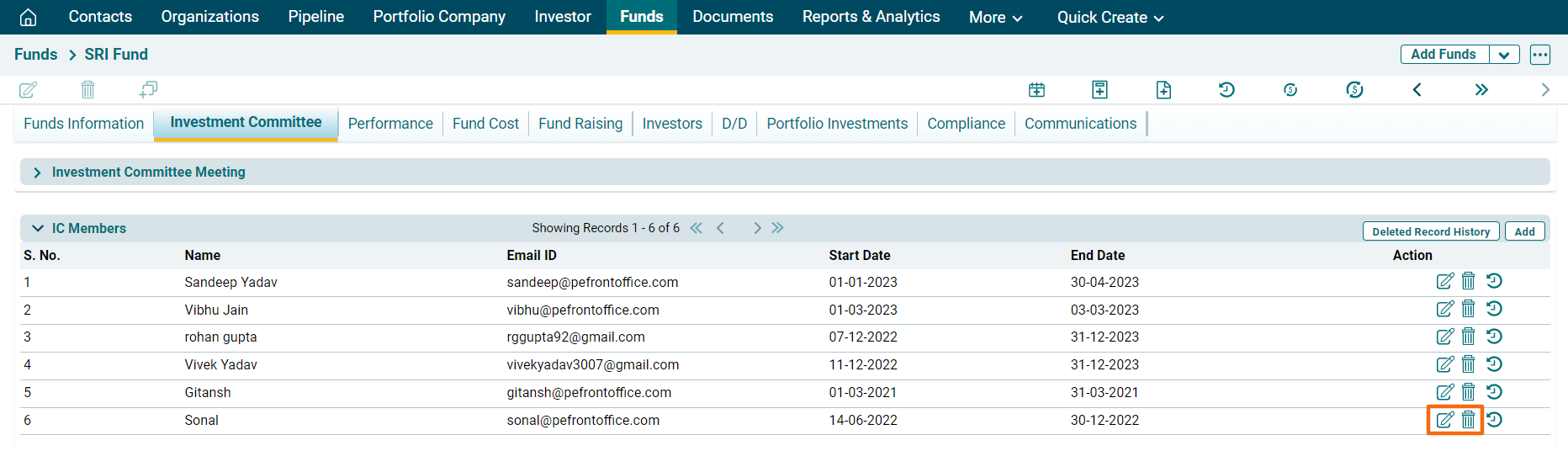
3. Click on the Edit or Delete icon to make changes.
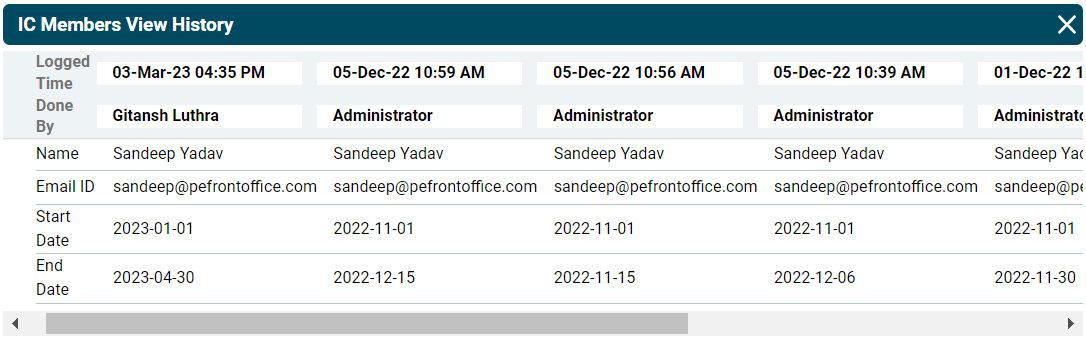
4. To view member history,
click on the View History icon ( ) in the Actions column. The IC Members View History
window is displayed.
) in the Actions column. The IC Members View History
window is displayed.
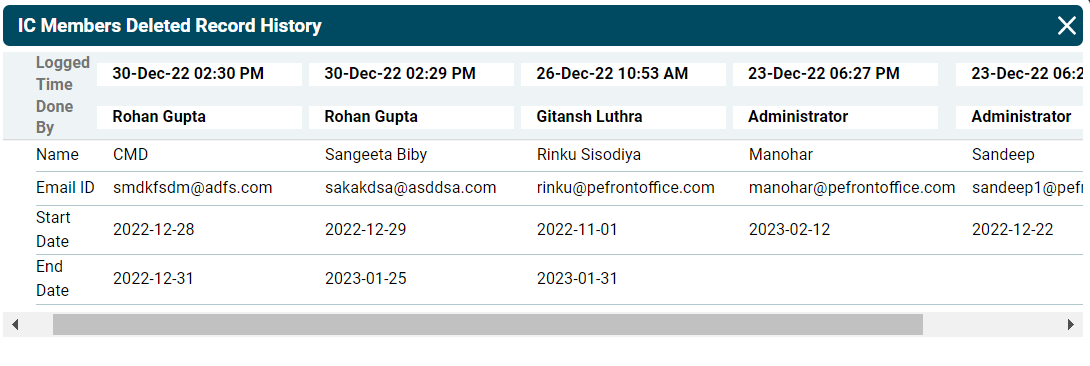
5. To view the deleted
record history, click on the Deleted Record History button in the top right
corner of the panel.
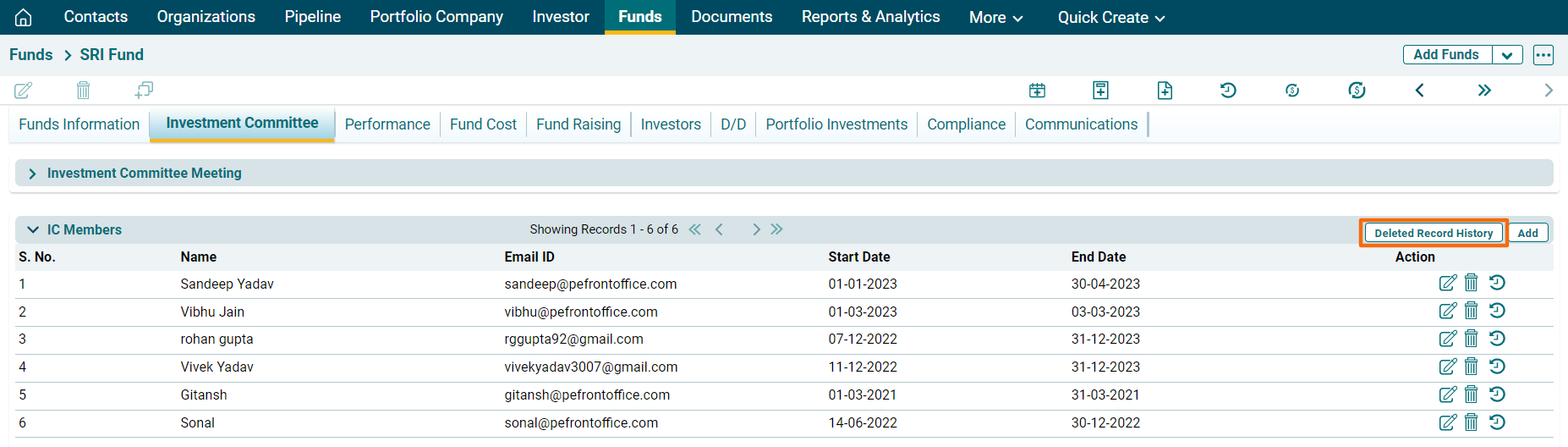
The IC Members Deleted Record History window is displayed.