
Funds Administration
Announcements
Announcements panel allows you to create an announcement that the user wants to publish for various investors on the investor portal.
To make an announcements, follow the below steps:
1. Click on the Create Announcement button in the top right corner of the panel.
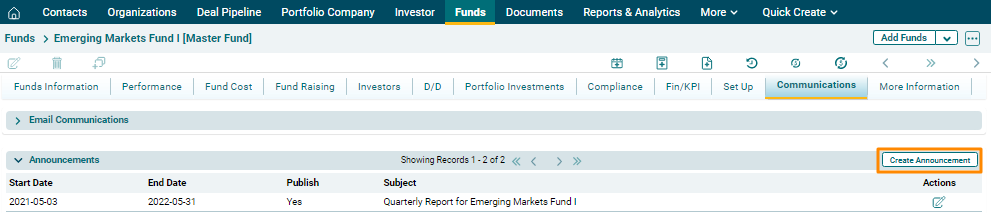
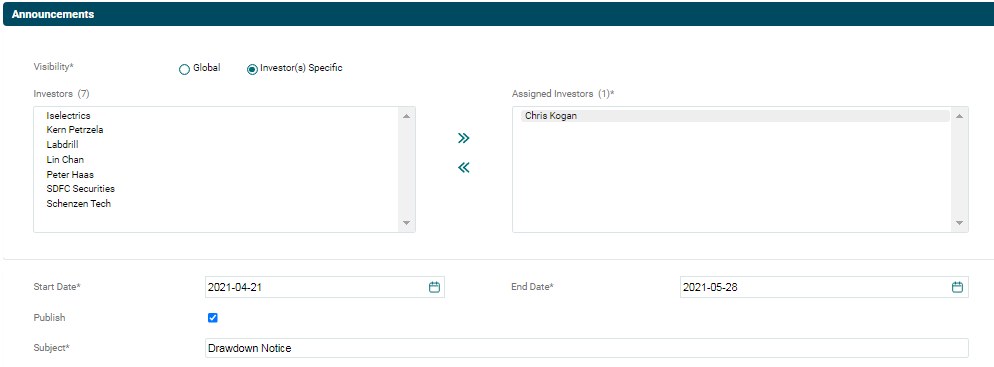
2. The Announcements window is displayed. Enter the following details:
- Visibility: Choose an option, i.e. Global or Investor(s) Specific. Announcements will be visible only to the investor you select from the field below, if you choose Investor(s) specific. By choosing Global, announcement shall be visible to all investors related to the fund.
- Investors: The investors related to the fund are populated in the Investors field. Choose an investor. Click on the right-facing arrow button to select the investor.
- Start Date: Specify the start date of announcement publication.
- End Date: Specify the end date of announcement publication.
- Publish: Check the box if you wish to publish the announcement.
- Subject: Enter the announcement subject.
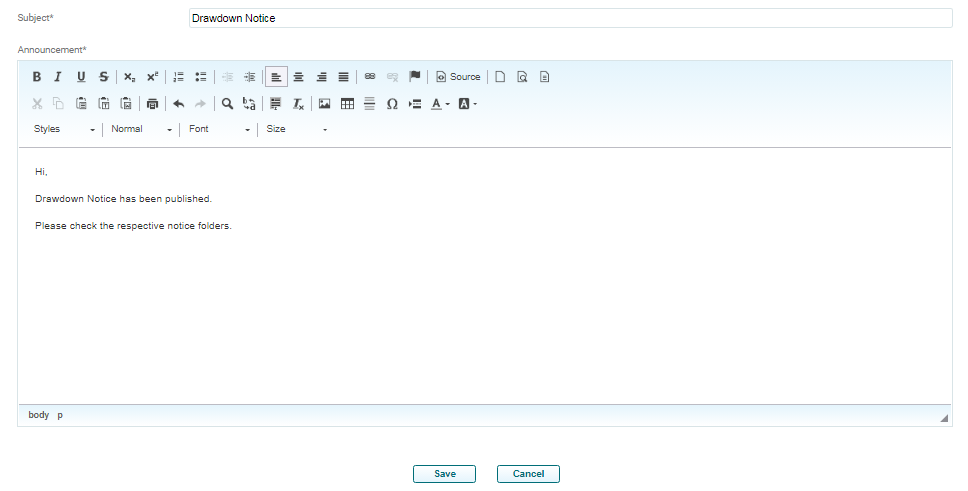
3. Enter the subject details. Click on Save.
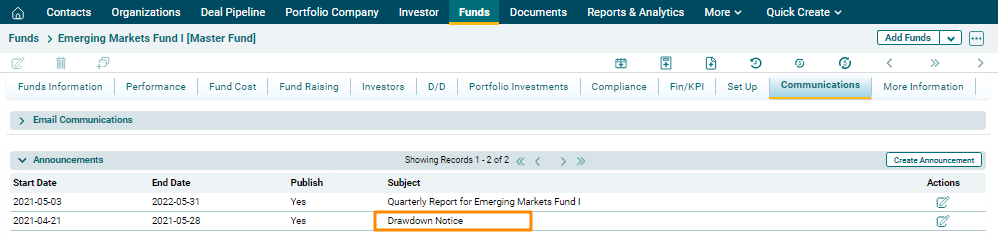
4. The published announcement appears in the Announcements panel.
5. To edit the published
announcement, click on the Edit ( ) icon in the Actions column. Update the
details and click on Check (
) icon in the Actions column. Update the
details and click on Check ( ) button to save.