Funds Administration
Financial Fund-Level Fields
To add the Financial Fund-level fields, follow the below steps:
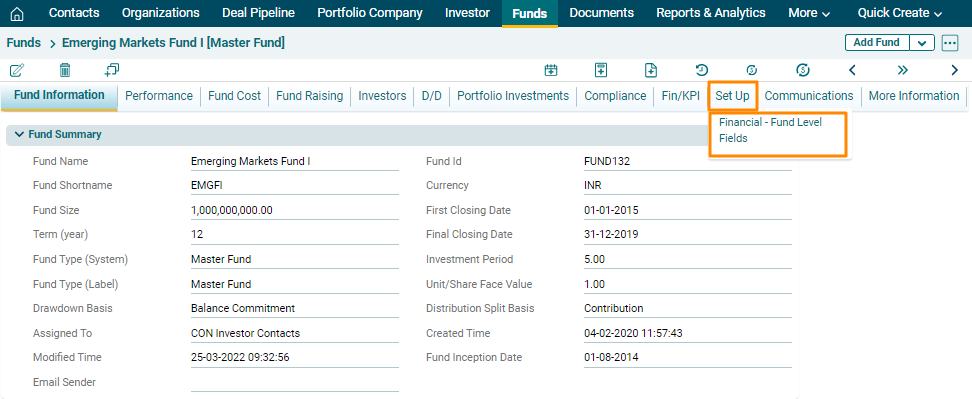
1. Navigate to Set Up tab and click on Financial Fund– Level Fields.
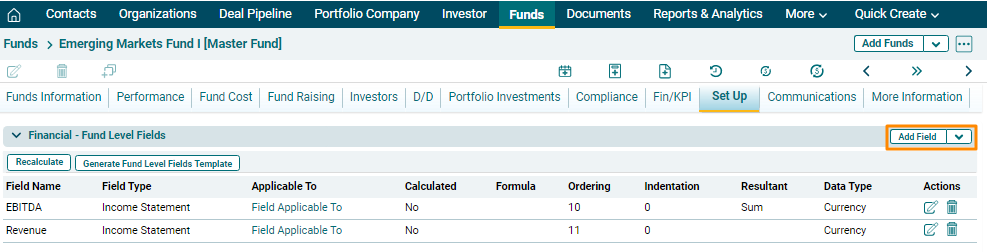
2. Click on Add Field button in the top right corner of the panel.
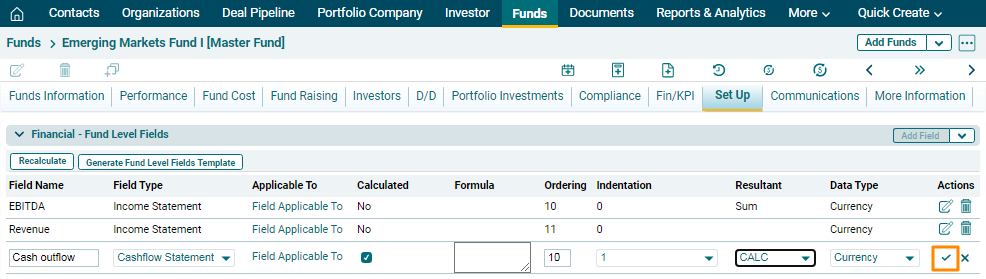
3. The field will be activated. Enter the following details:
- Field Name: To specify name of the field.
- Field Type: To specify the field type, i.e. Income Statement, Balance Sheet, Cashflow Statement, KPI.
- Calculated: To specify if it is to be calculated or not. If you check the box, The Resultant field will auto select CALC value.
- Formula: To add a formula for any calculated field, you must copy the exact name of already existing fields and use the mathematical operators like +,-,* etc. There should not be any space between the values.
- Ordering: To specify the ordering.
- Indentation: To specify the indentation, 0, 1, and 2.
- Resultant: To specify the operation, i.e. Sum, Average, CALC, Last Value, and First Value.
- Data Type: To specify the data type, i.e. Currency, Non-Currency, or Percentage.
4. Click Check ( ) button to save the details. The added fields will appear in the Financial Fund- Level Fields panel.
5. To edit a field, click on Edit ( ) icon in the Actions column. Edit the details and click Check (
 ) button to save.
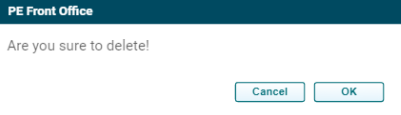
6. To delete a field, click on Delete ( ) icon in the Actions column. The delete window is displayed. Click OK to delete the field.