
Funds Administration
Target LP
Target LP captures the potential investors who are willing to invest in the fund and track the progress of fundraising. This panel is applicable to Master Fund, Feeder Fund, Fund SPV, and Fund of Funds.
To modify a member, follow the below steps:
1. Click on Add Member button in the top right corner of the panel.
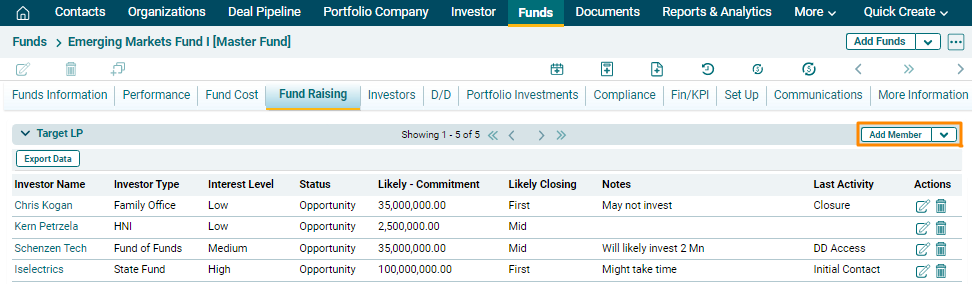
2. The fields will be activated. Click on Search ( ) icon.
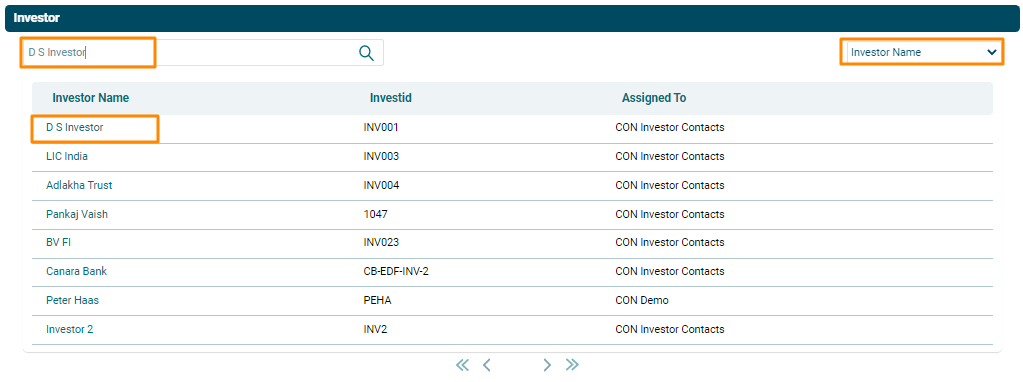
3. The Investor window is displayed. Search for the Investor name. Select the filter on the top right corner. Search results are displayed. Click on an Investor name to add them as a member.
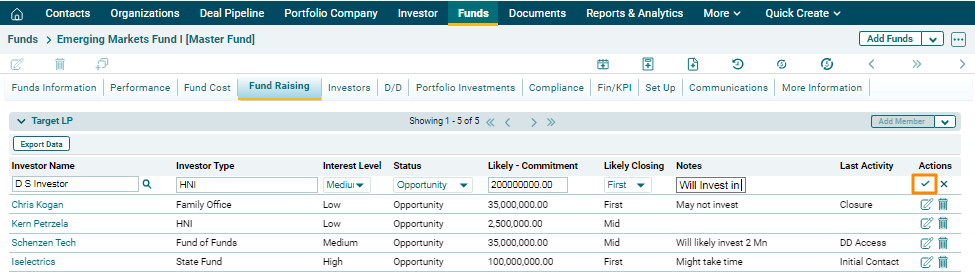
4. Update the details and click Check( ) button from Actions
column to save.
) button from Actions
column to save.
5. To edit LP member details, click on the Edit icon ( ) in the Actions
column. After making the changes, click on Check (
) in the Actions
column. After making the changes, click on Check ( )
button to save.
)
button to save.
6. To delete a team
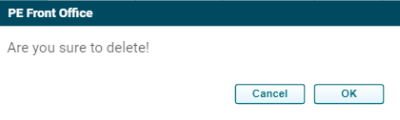
member’s details, click on the Delete icon ( ) in the Actions column. The delete
window is displayed. Click OK to delete the member details.
) in the Actions column. The delete
window is displayed. Click OK to delete the member details.
Target LP (Bulk Upload)
To upload LP details in bulk, follow the below steps:
1. Click on the down arrow button next to Add member button. Click on Download Template.
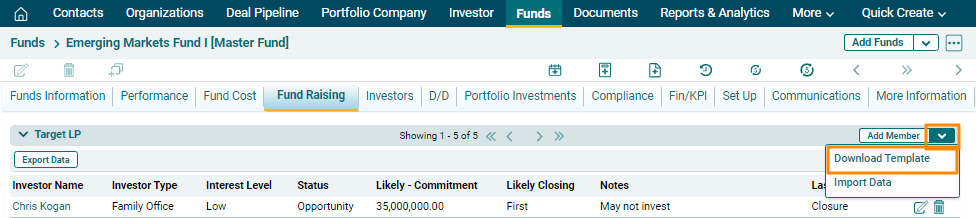
2. The excel file
will download. Enter the details and save the file.
3. To import bulk
LP details, click on the down arrow button next to Add Member button. Click on Import Data.

4. Click the Choose File button.

5. Choose the Target
LP template. Click Upload.

6. The Target LP details will populate based on the uploaded template.
