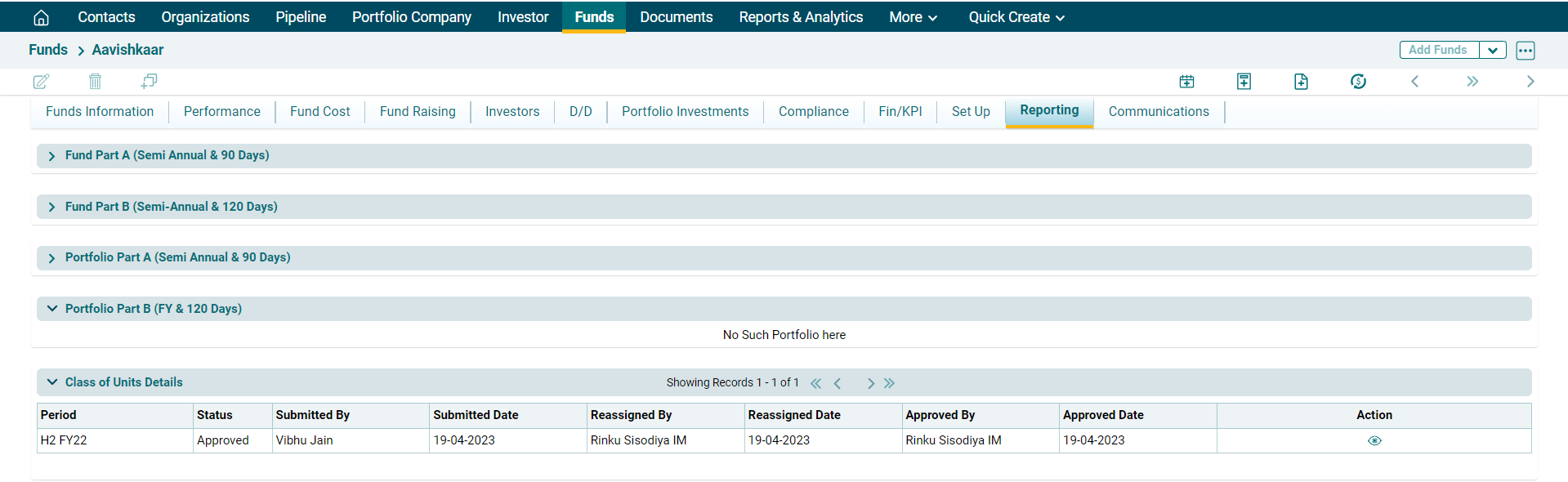
Class of Unit Details
To add and view Class of Unit Details, follow these steps:
To add and view Class of Unit Details, follow these steps:
1. Click on Funds in the main menu.

2. Click on Fund Name.

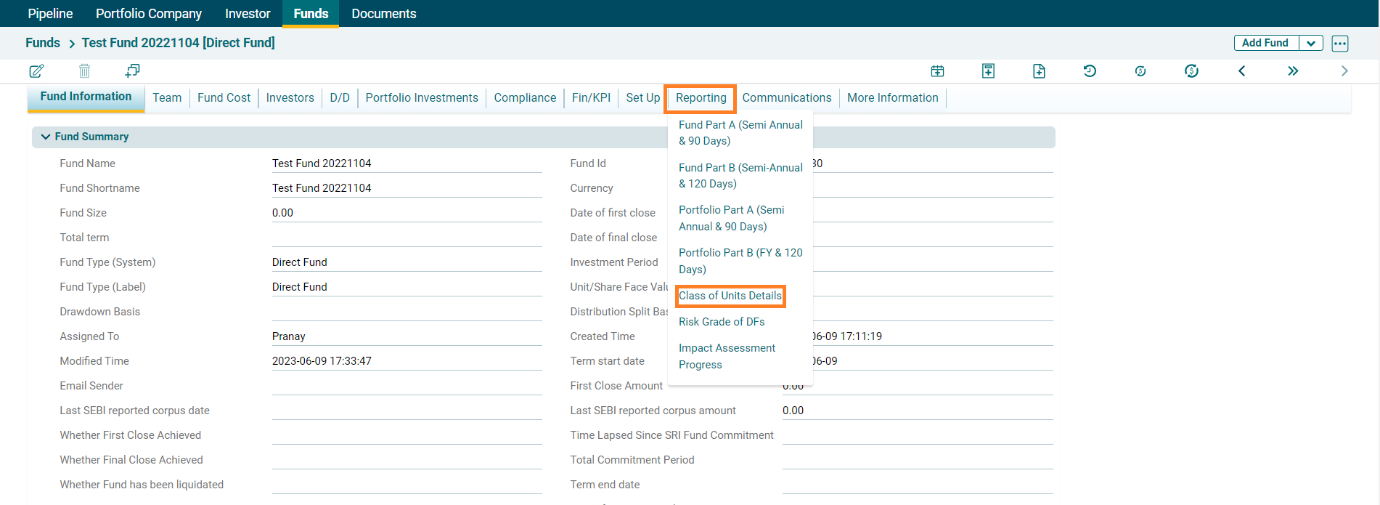
3. A new window is displayed. You can access the report from the dashboard by clicking Class of Unit Details in the Reporting tab in the blue vertical bar.
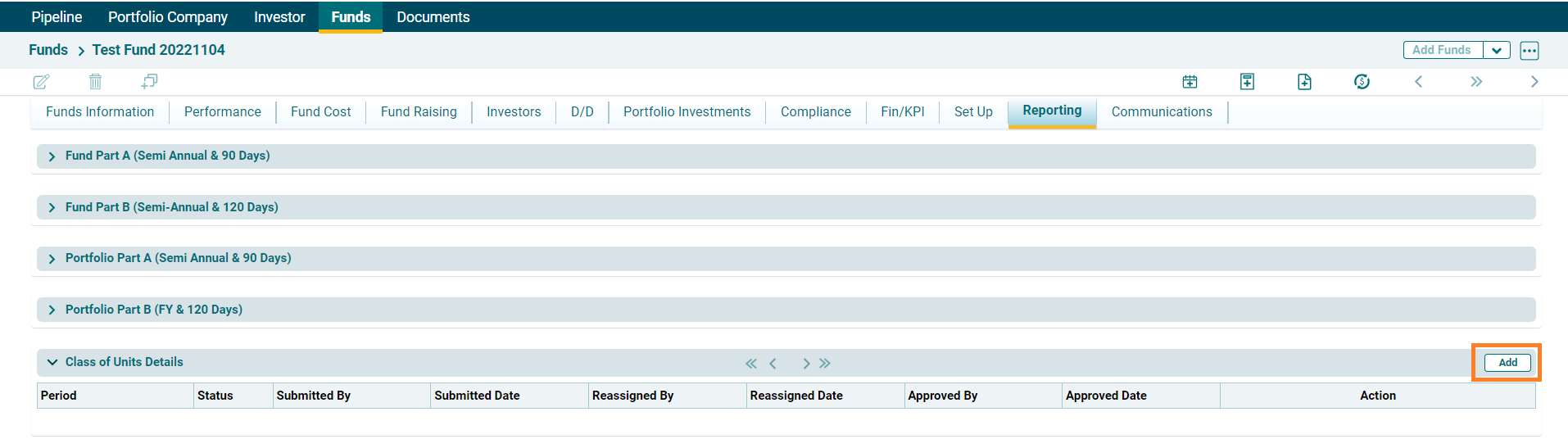
4. Click on Add button in the top right corner.
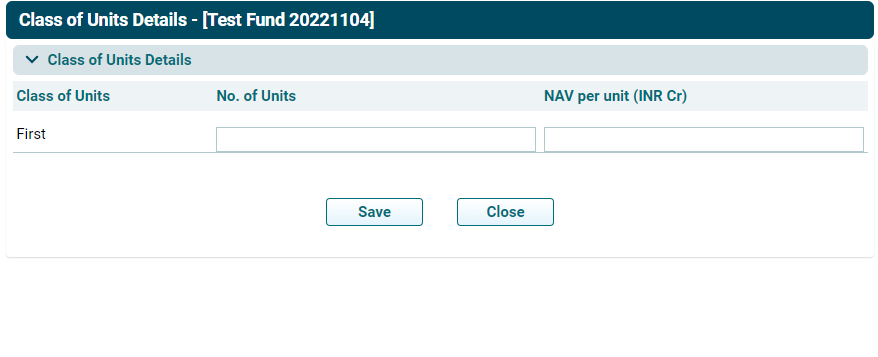
5. Review the details and then click on Save.
6. Once reviewed click on Submit, AIF has to submit the data for approval to the SRI fund.
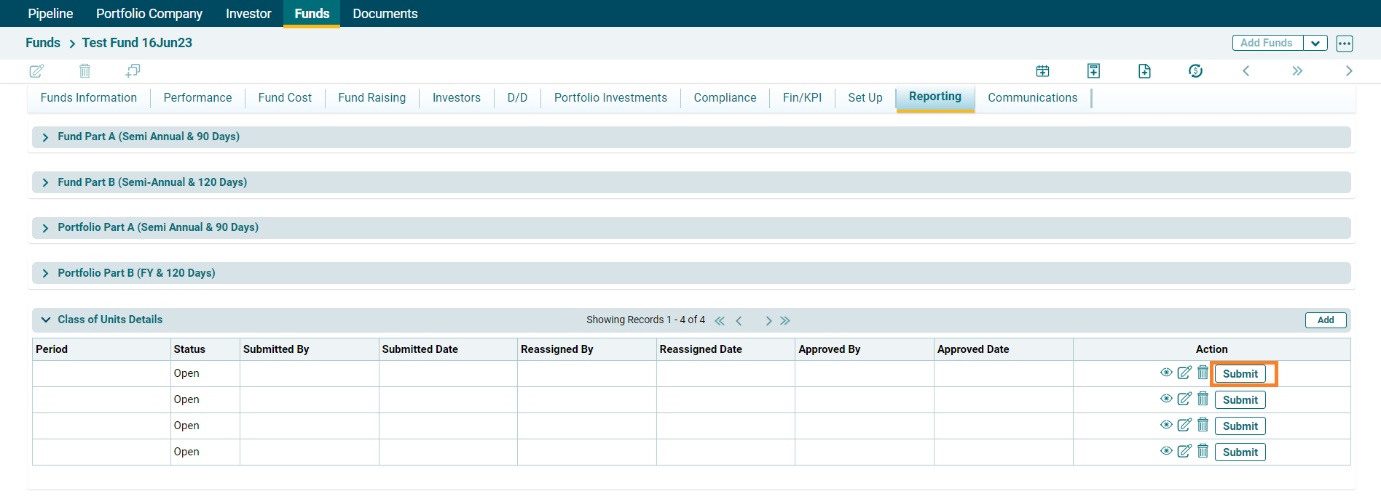
7. The Data would be shared to SRI fund. From there the following details will get Approved/Reassigned as per the review.