
System Administration
Outgoing Server
This
feature helps you to configure Outgoing Server with SMTP (Simple Mail Transfer
Protocol) settings of your email server to manage sending out emails.
To modify outgoing server details, follow the below steps:
1. Click on CRM
Settings icon ( ) in the top right corner of the panel.
2. In the Other Settings panel, click on Outgoing Server.
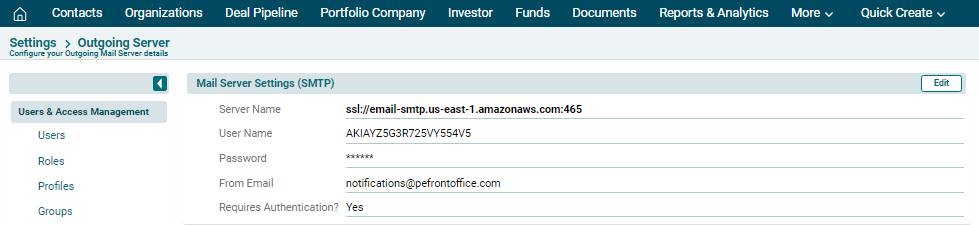
3. The Mail Server Settings (SMTP) window is
displayed. The details included are:
- Server name
- User Name
- Password
- Email
- Requires Authentication
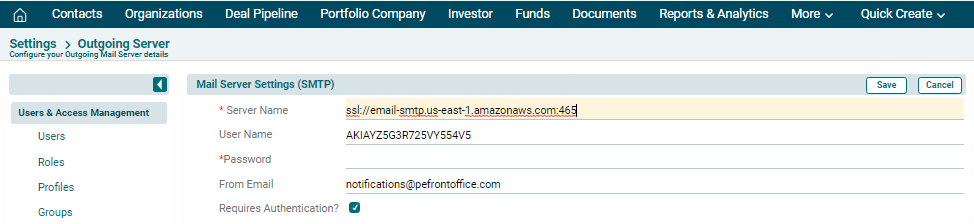
4. To edit details, click on
Edit ( ) button in the top right corner of the panel. Update the details and
click Save.
) button in the top right corner of the panel. Update the details and
click Save.
Notes:
By default, the outgoing
server is configured with PE Front Office settings. You can manage sending out
emails with these settings. However, it is recommended that you configure
Outgoing Server with your own SMTP settings.
If you prefer to retain PE Front Office server as the outgoing server, it is recommended that you configure your domain's SPF record to include the PE Front Office server as a valid sender for your domain.