
System Administration
Audit Trails
PE Front
Office allows you to Enable Audit Trail and View Audit Trail Report for a
selected user.
To view Audit Trail, follow the below steps:
1. Click on CRM
Settings icon ( ) in the upper right corner.
2. In the Users and Access Management panel, click on Audit Trails.
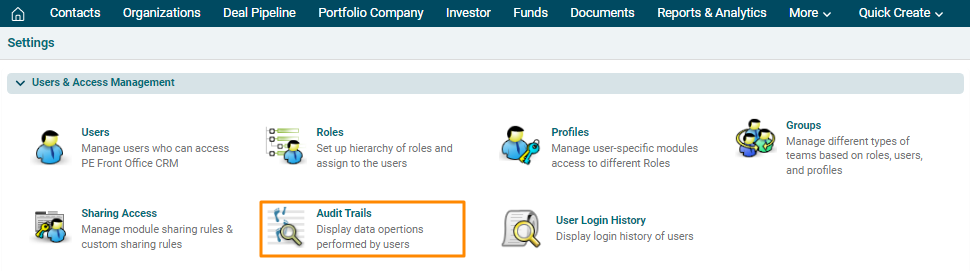
3. The Audit Trails window is displayed. Select a User. Check the Enable Audit Trail check box to see actions performed by selected user on records. Click View Audit Trail.

4. The Audit Trails window is displayed with Module name, Action, Record, and date when the changes were made.
