Deal Pipeline
Workflow
This functionality is specifically for SRI
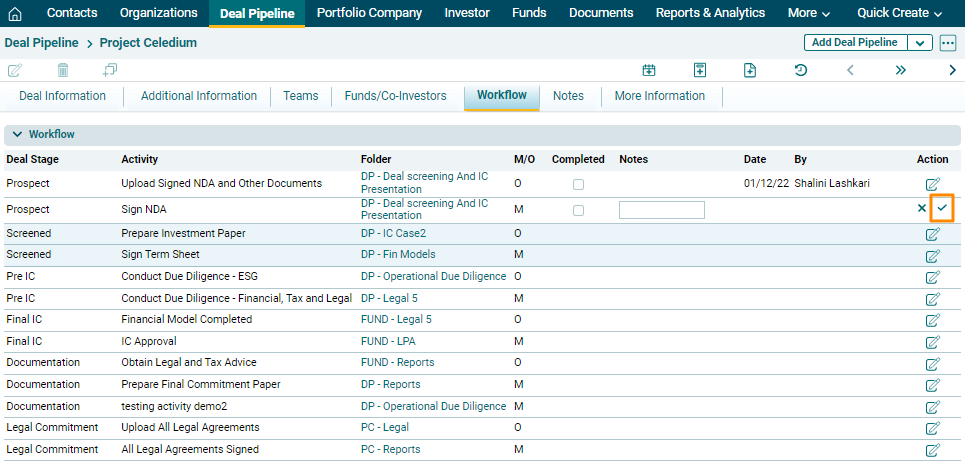
In the Workflow panel, you can track various due diligence activities mapped to different stages of the deal. The details included are:
- Deal Stage: Includes stages from prospect to commitment through which a deal passes.
- Activities: Includes corresponding
activities against each deal stage.
- Folder: Upload documents
against each of the activities and access them from linked folders.
- M/O: M stands for mandatory and O
stands for Optional.
- Completed: Indicates if an activity
is completed. Mark the activity complete using Edit (
 ) button under the Action column. Once an activity
is marked completed, it cannot be edited.
) button under the Action column. Once an activity
is marked completed, it cannot be edited. - Notes: Capture notes against each activity. Click on Edit (
 ) button to enter notes.
 - Date: Displays the date on
which the activity was marked completed.
- By: Displays the user's name that made the changes.