Deal Pipeline
Due Diligence
This functionality is specifically for SRI
This tab contains the details
regarding the financial and legal due diligence of the pipeline. It has five
panels which have been described below along with their fields.
DD Summary
This panel allows you
to add members of the Legal and Financial Tax & Integrity team.
To add a member,
follow the below steps:
Click on Add button in the top right corner.
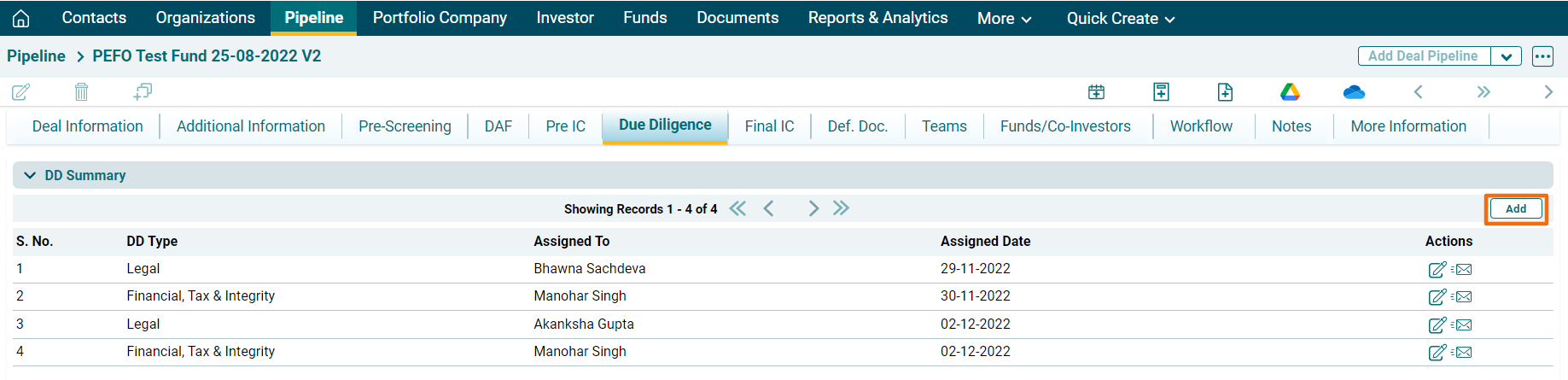
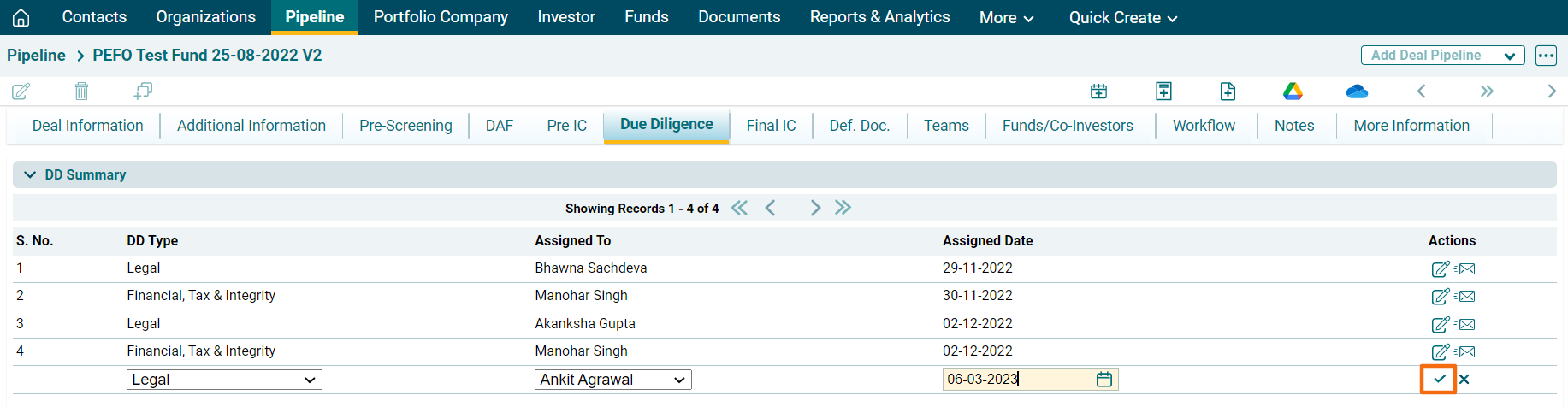
Select the due diligence type from the
dropdown, i.e., Legal or Financial Tax & Integrity. Specify the team member
name. Specify the date when the team member shall be assigned to the deal.
Click Save
Click Edit ( ) icon to edit the
details. Click Send Email (
) icon to edit the
details. Click Send Email ( ) icon to send
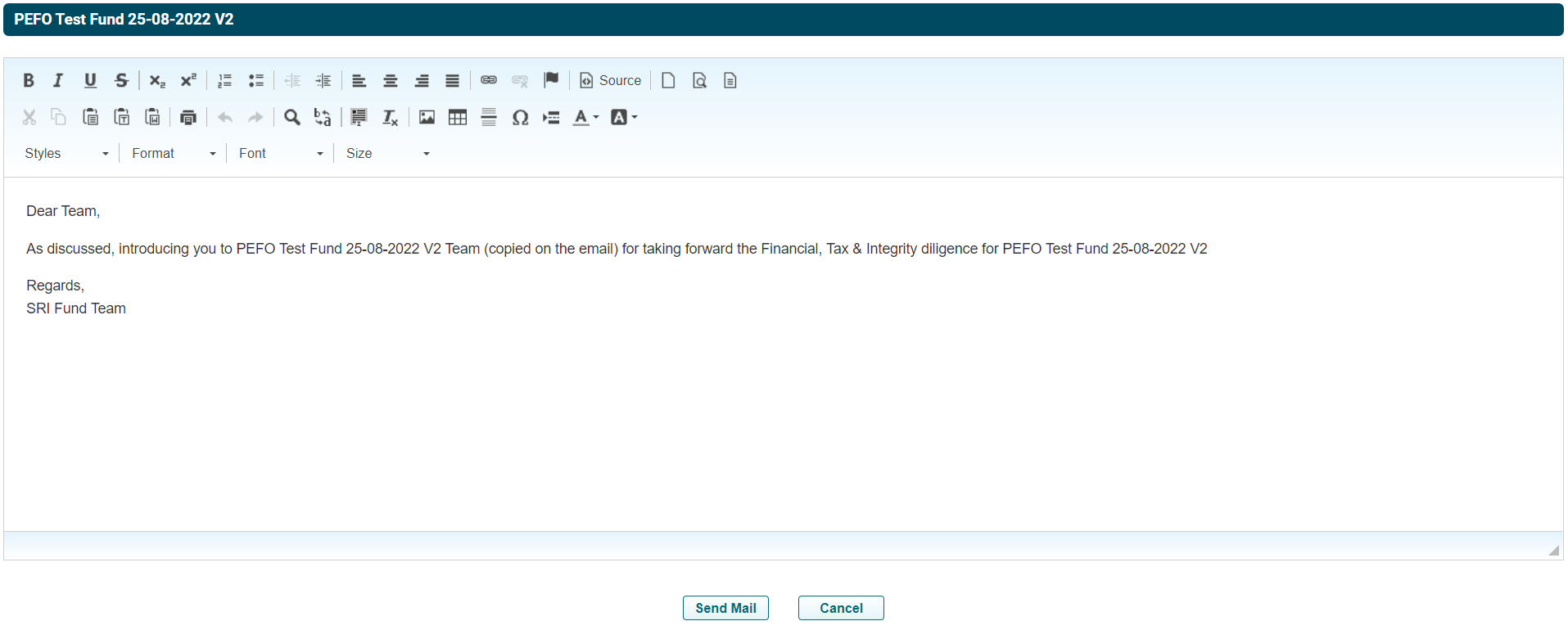
email informing the team member about their introduction to the due diligence
on the pipeline. A new window will be displayed.
) icon to send
email informing the team member about their introduction to the due diligence
on the pipeline. A new window will be displayed.
Click Send Mail.