
This tab contains the
details regarding the Pre-IC Stage. It has four panels which have been
described below along with their fields.
Pre IC Documents
This panel allows you
to add Pre-IC related documents.
To add a document,
follow the below steps:
1. Click on Add
button in the top right corner.

2. Select the
pre-defined document item from the dropdown.
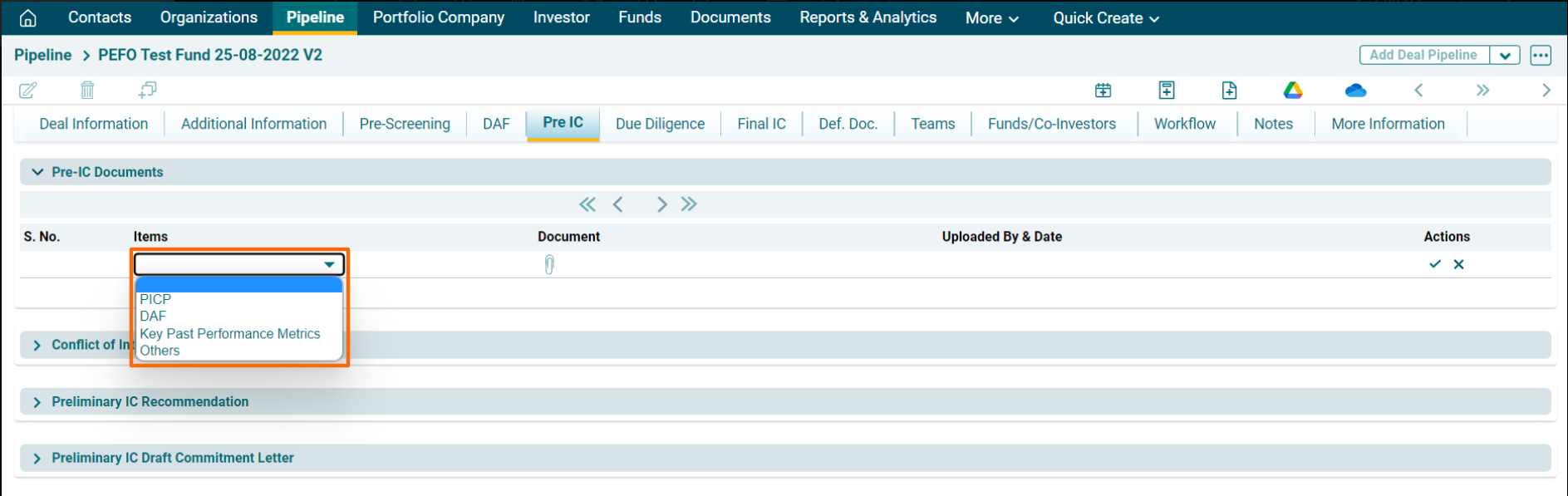
3. Click on Add
document icon ( ).
).
4. Upload the
file. Click Save.

5. Click on the Edit
or Delete icon to make changes.

6. Click on
Download icon ( ) to download the uploaded document.