Deal Pipeline
Pipeline Funnel Chart
This functionality is specifically for SRI
To view
and download the Pipeline Funnel Chart, follow the below steps:
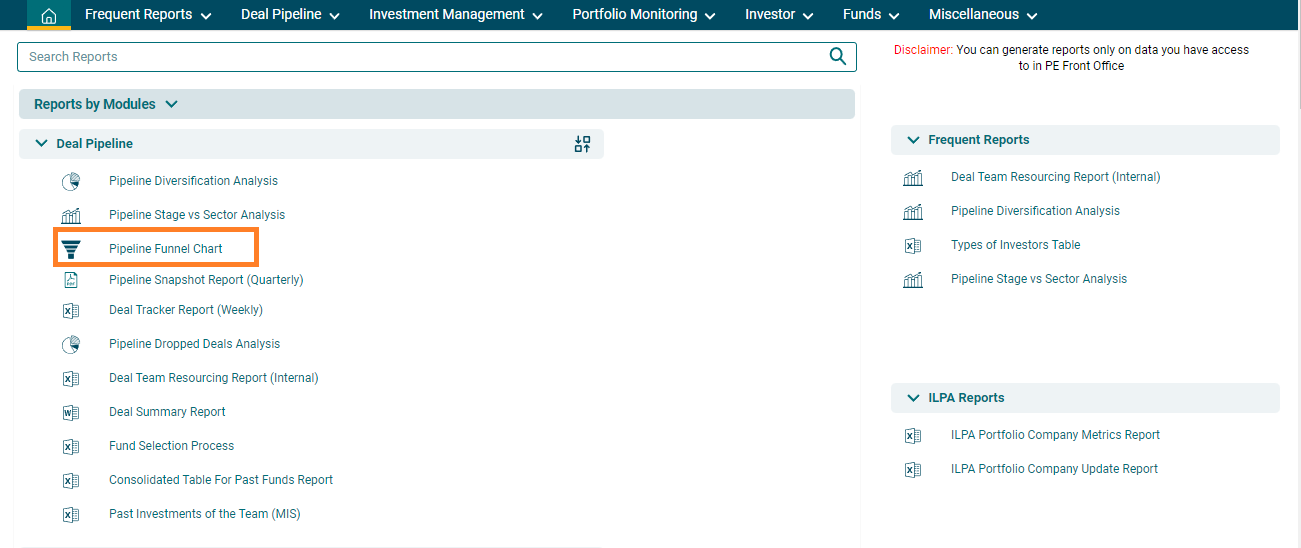
1. Click on Reports and Analytics in the main menu.

2. You can
access the report from the dashboard by clicking Pipeline Funnel Chart in the Deal panel or from the Deal drop-down menu in the blue vertical
bar.
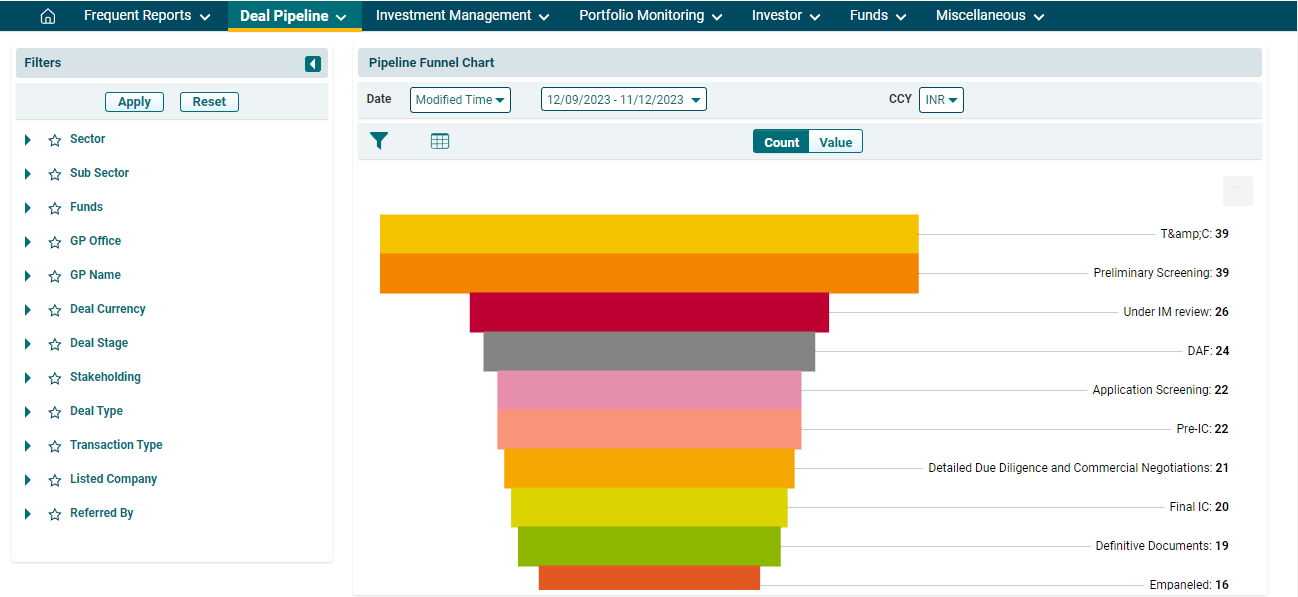
3. The Deal | Movement Analysis window is
displayed. It displays the data in the funnel chart form based on the set parameters.
4. You can
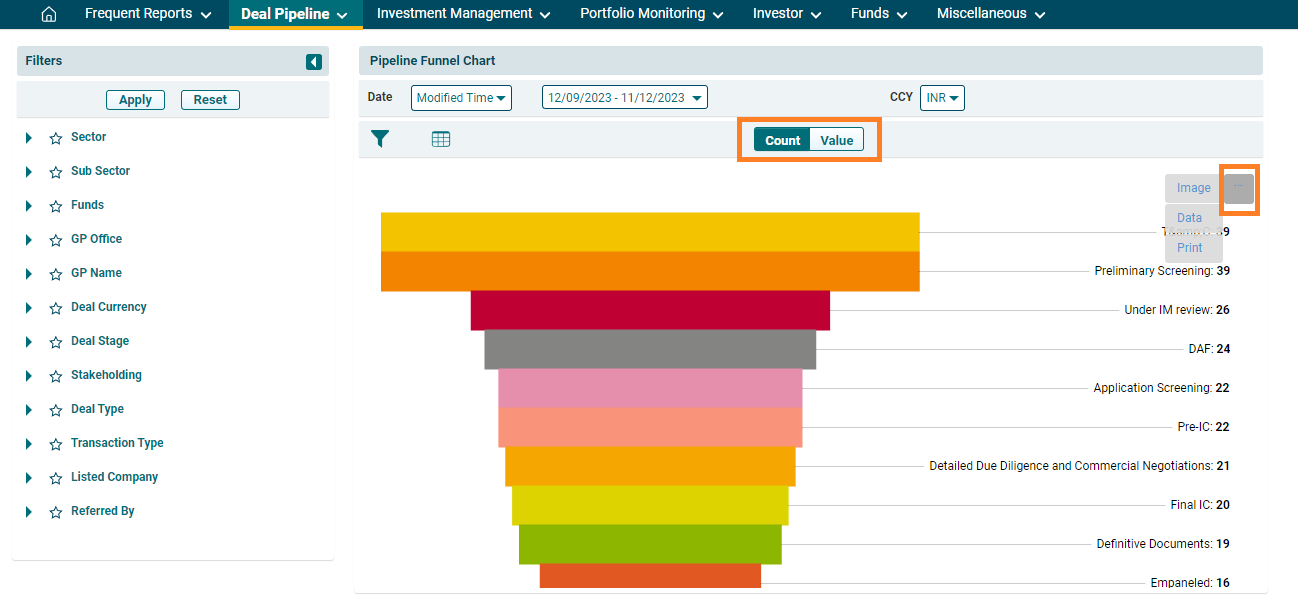
also view the report using various
- Date: To view the chart for a
particular date range,
- Currency: To view the data based on different currencies.
- Count/Value: The data can be viewed by Count or Value. The default setting is set on Count. If you wish to view the pipeline by Value, switch to Value.
You can
view the funnel based on the changed parameters. You can download the funnel in various formats. Click on the
gray square box button in the top right corner near the graph. The report can
be downloaded in Image formats, such as PNG, SVG, JPG, etc. and Data formats,
such as JSON, HTML, PDF, CSV, etc. Click on a format and the report will be downloaded.
5.
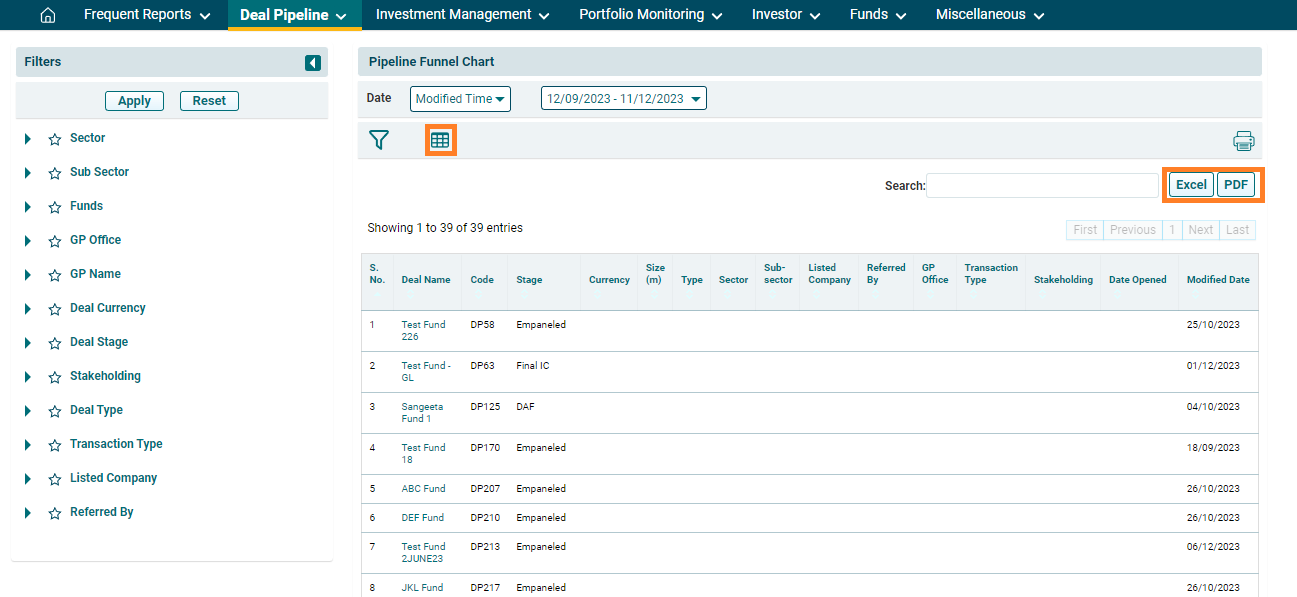
6. To further
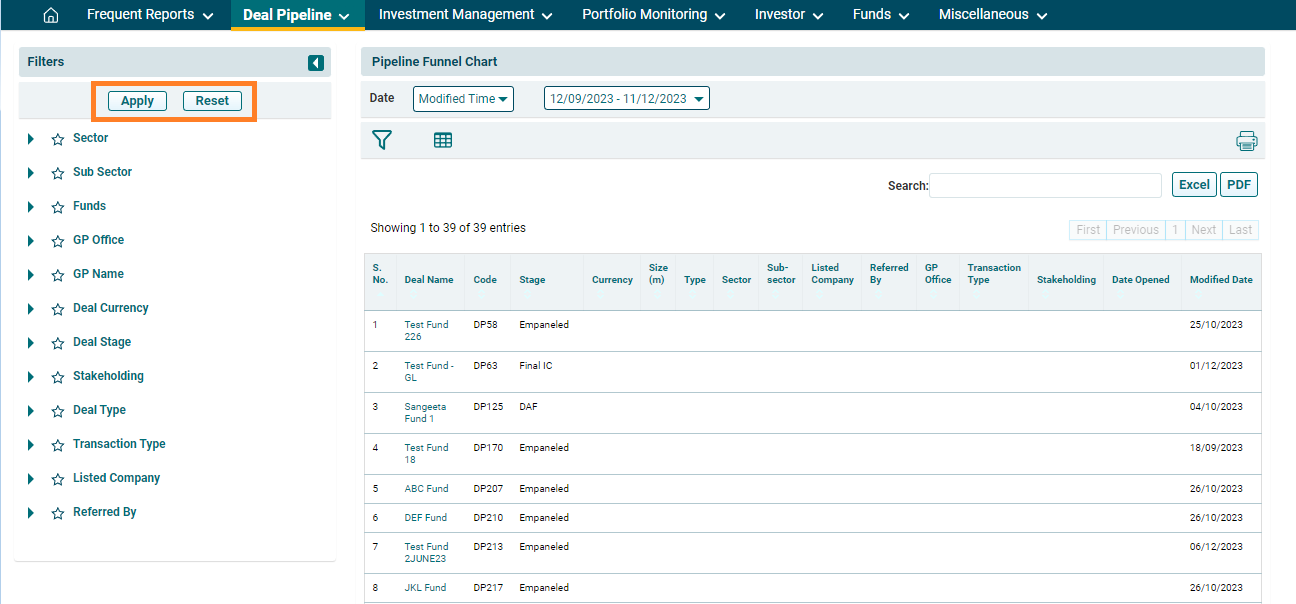
drill down into the analysis, use the additional filters on the left-hand side.
Select a filter and click on Apply.
To reset the filters, click Reset.