
Deal Pipeline
Definitive Document List & Emails
This functionality is specifically for SRI
This tab contains documents uploaded for
final approval by AIF. The Legal team and Investment Manager can upload the
documents.
To Add a document, follow the below steps:
1. Click on Add button in the top right corner
of the panel.
2. Choose a document type, i.e., Side Letter,
Contribution Agreement, Legal Opinion, Comfort Letter, and Approval Letter. The
Approval Letter can only be uploaded once all the remaining documents have been
uploaded and an approval mail has been received.
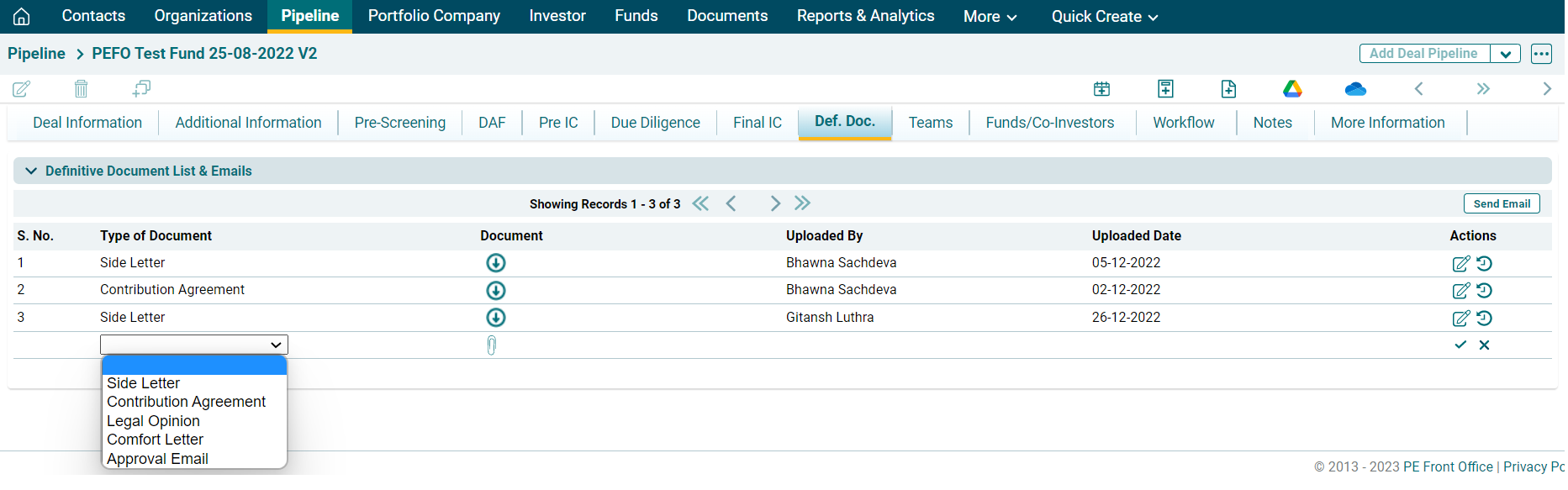
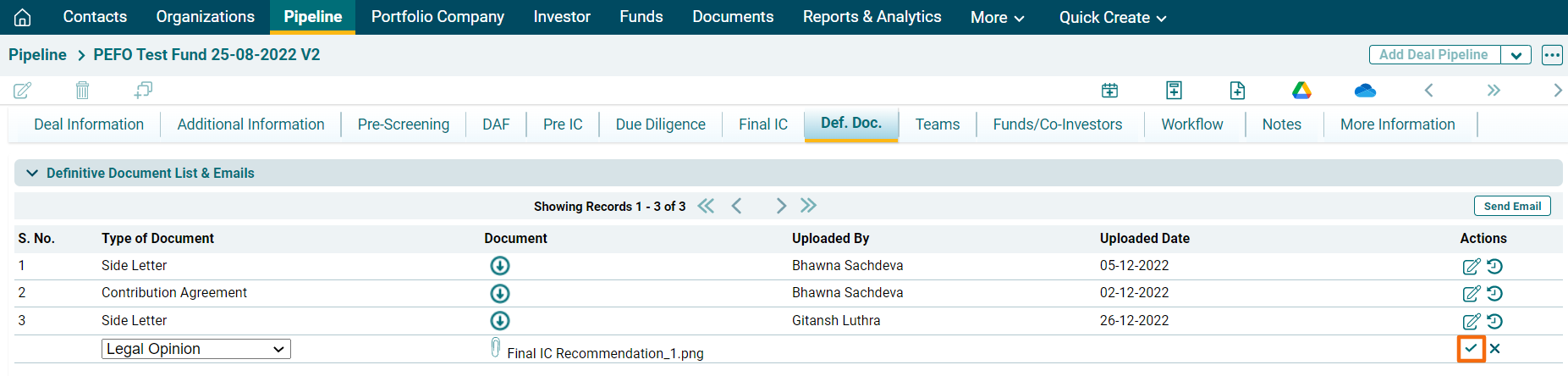
3. Click on Choose File icon ( ). Choose the file
and upload. Click Save.
). Choose the file
and upload. Click Save.
To obtain AIF approval on the uploaded
document, follow the below steps:
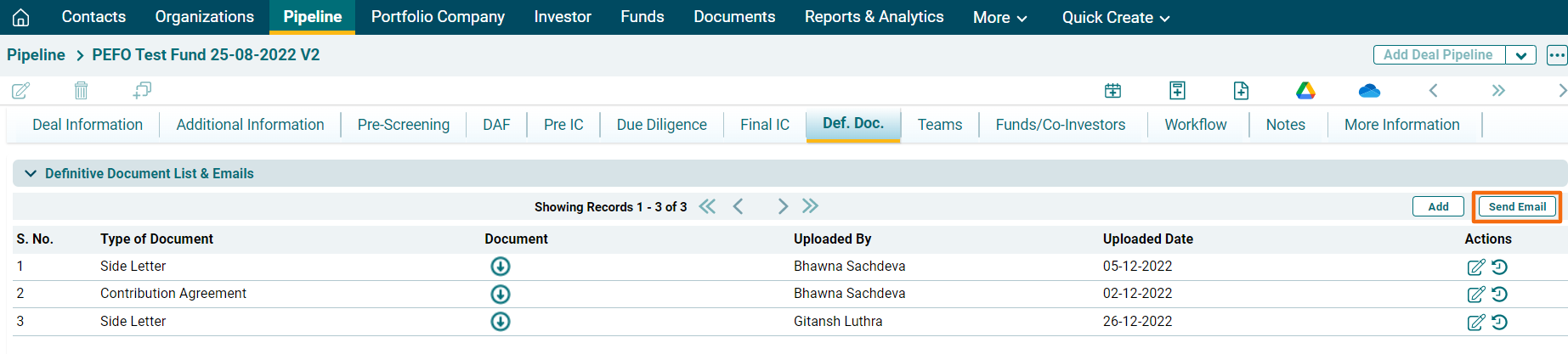
1. Click on Send Email button in the top right
corner of the panel.
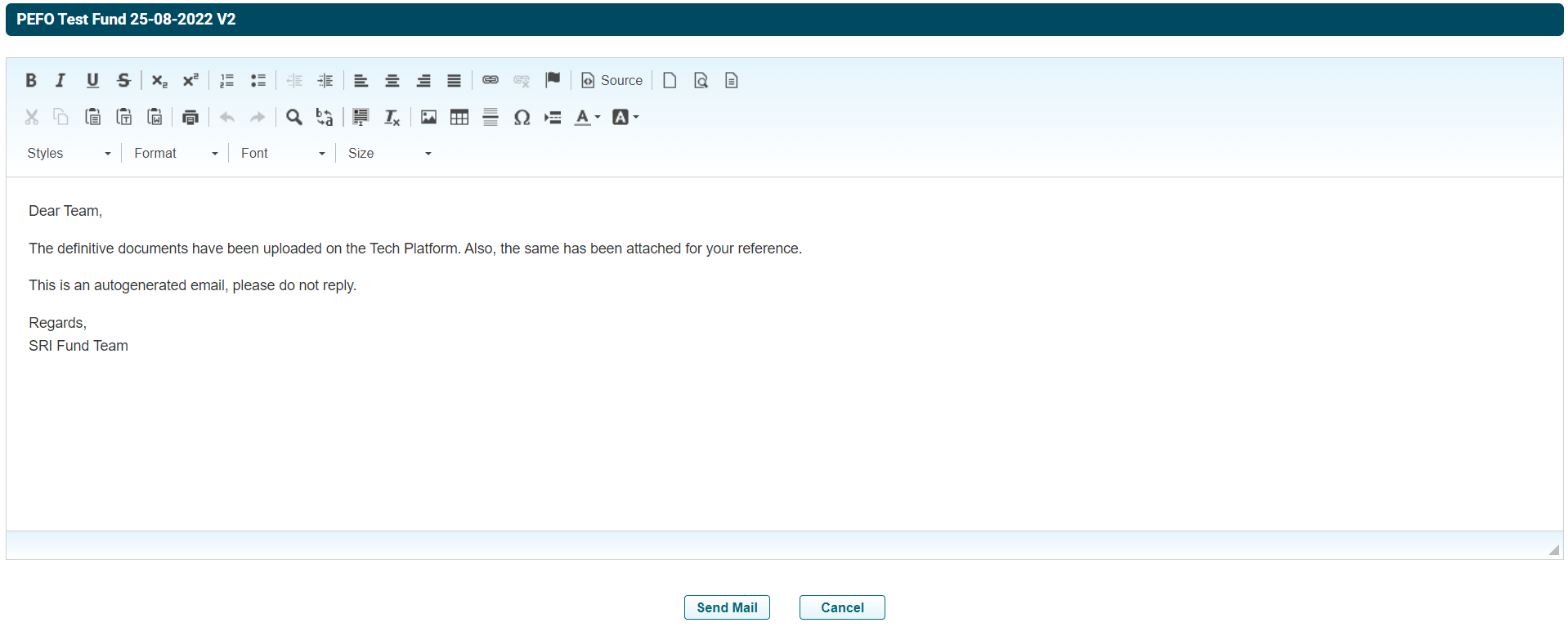
2. A new window is displayed. The email can be previewed, updated, and scheduled. Click Send Mail.
Once the AIF approval is obtained, add the Approval Email document.