Investor Management
Meeting Report
This functionality is specifically for SRI
This
report contains details about the meeting that have been held and are scheduled
to happen related to a Investor.
To download the report, follow the below steps-
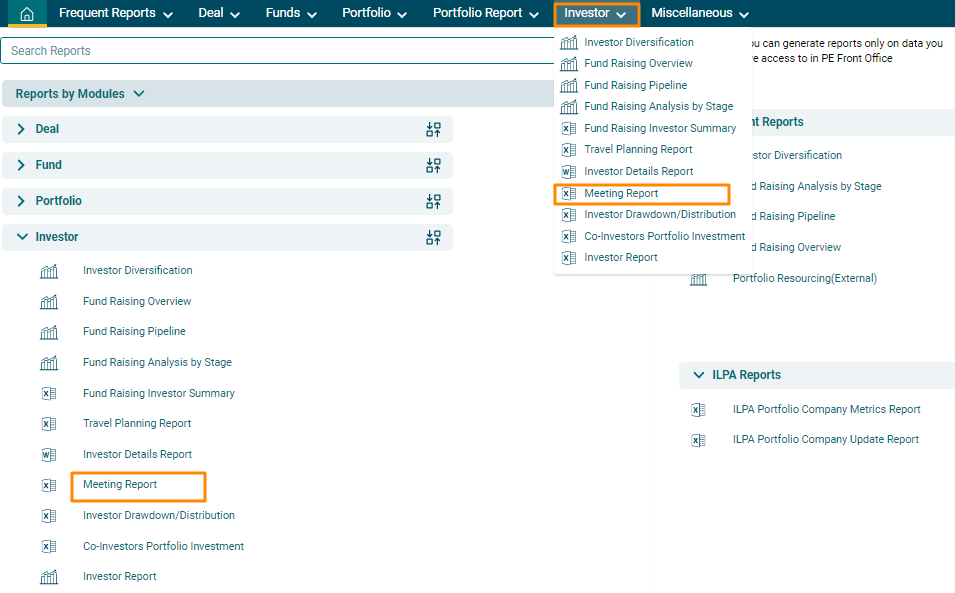
1. Click on Reports & Analytics in the main menu.

2. A new window
is displayed. You can access the report from the dashboard by
clicking Investor Report in the Investor panel
or from the Investor drop-down menu in the blue vertical bar.
3. The Investor | Diversification window is displayed. Enter the following details:
- From Date: The start date for the period for which you wish to see the meeting report.
- To Date: The end date for the period for which you wish to see the meeting report.
- Activity Type: Displays the activity type, i.e., Call, Meeting, or To Do.
- Status: Displays the status of the event, i.e., Planned, Held, or Completed.
- Related To: Displays the meeting relate to Funds, Investor, Portfolio Company, Deal Pipeline, or Organizations.
4. Click on Download Excel button. The excel file will download.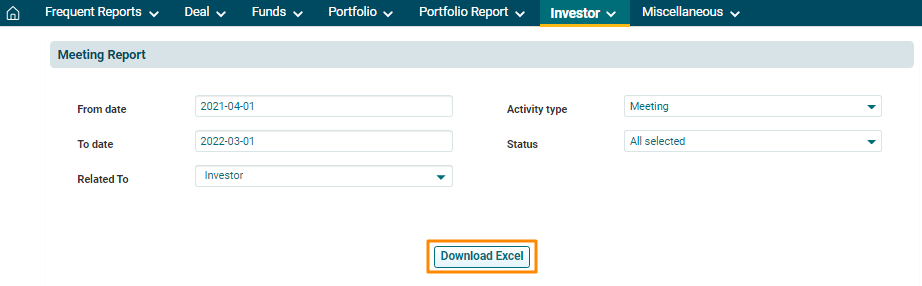
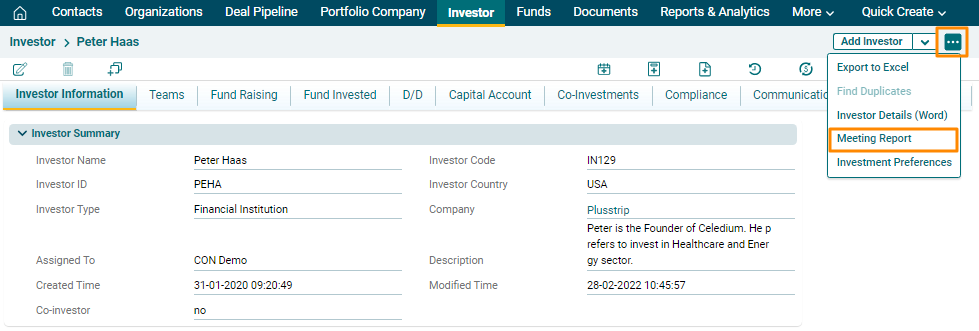
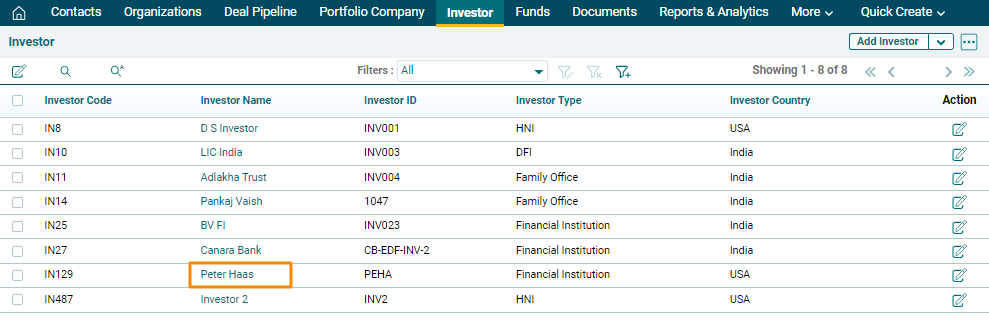
1. Click on Investor in the main menu.

2. Click on the Investor Name.
3. Click on the three dot button in the top right corner. Click on Meeting Report. The Excel file will download.