Investor Management
Help Desk
An investor can raise a trouble ticket in case of any issue or difficulty, which appears in the Help Desk panel in More Information.
If you require any information from the investor or facing any difficulty, you can also raise a trouble ticket which will appear to investor.
To raise a trouble ticket, follow the below steps:
1. Click on the Investor name for which you wish to raise a ticket.
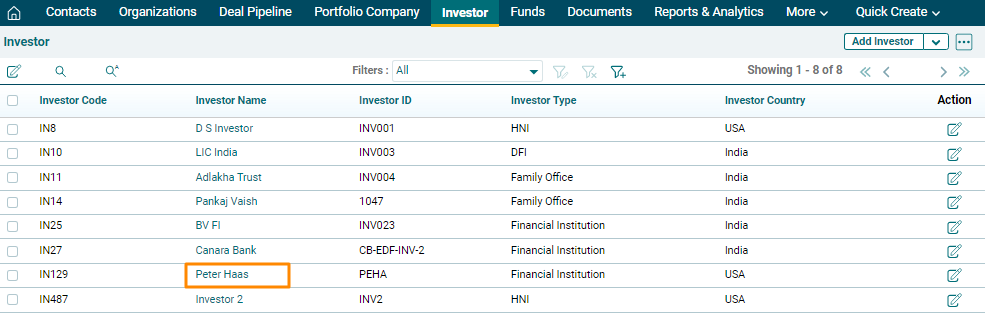
2. Click on More Information tab and click on Help Desk.
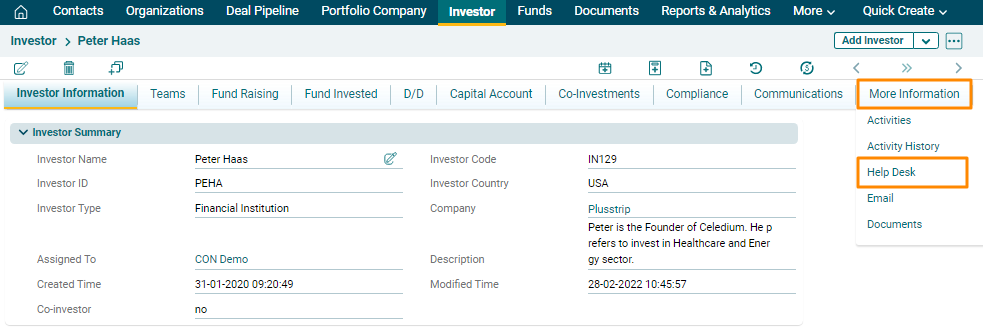
3. Click on Add Help Desk button in the top right corner of the panel.
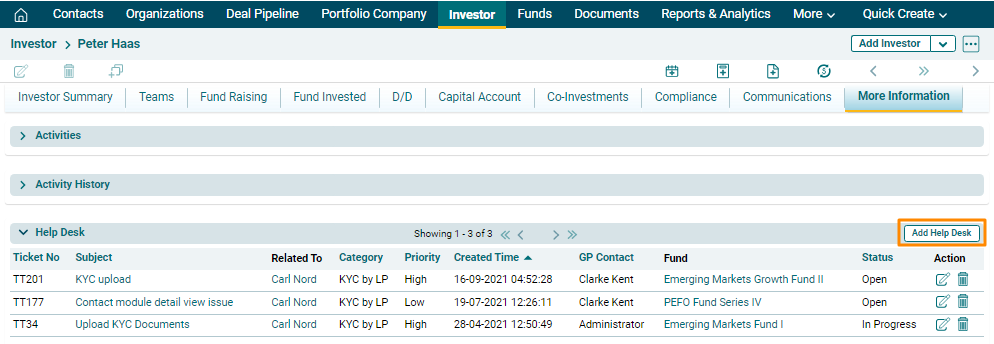
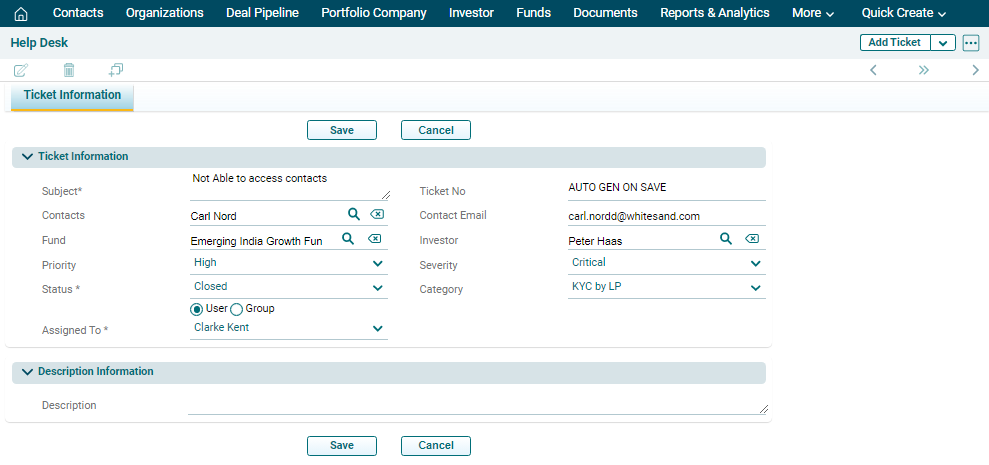
4. The Ticket Information window is displayed. Enter the following details:
- Subject: Input the subject.
- Contacts: Click on search (
 ) button beside the contact field. The contacts window is displayed. Click on the name of the desired contact.
 - Fund: Specify the fund name.
- Priority: Select the priority of the ticket if it is a high-priority, low-priority or medium-priority ticket.
- Status: Select the status of the ticket if it is open, In progress, or closed.
- Assigned To: Ticket gets assigned to the user automatically.
- Ticket No.: This is an auto-populated field.
- Contact Email: This field is auto-populated when you select the Contact.
- Investor: This an auto-populated field as you chose Investor name at the first stage. But you can choose other investor from the list. Choose the investor name.
- Severity: Select the severity of the problem if it is critical, feature, major, or minor.
- Category: Choose a category for the ticket.
- Description: Specify the description of the ticket.
5. Click on Save.
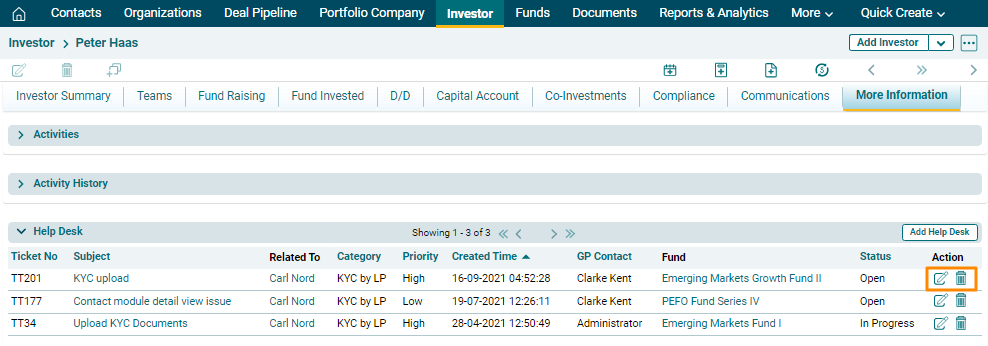
6. The ticket will be listed in the help Desk Panel under the More Information Tab. Once a query is resolved, click on Edit button in Action column to update the status. Click on Delete button in Actions column to delete the ticket.
View Tickets
To view a ticket, follow the below steps:
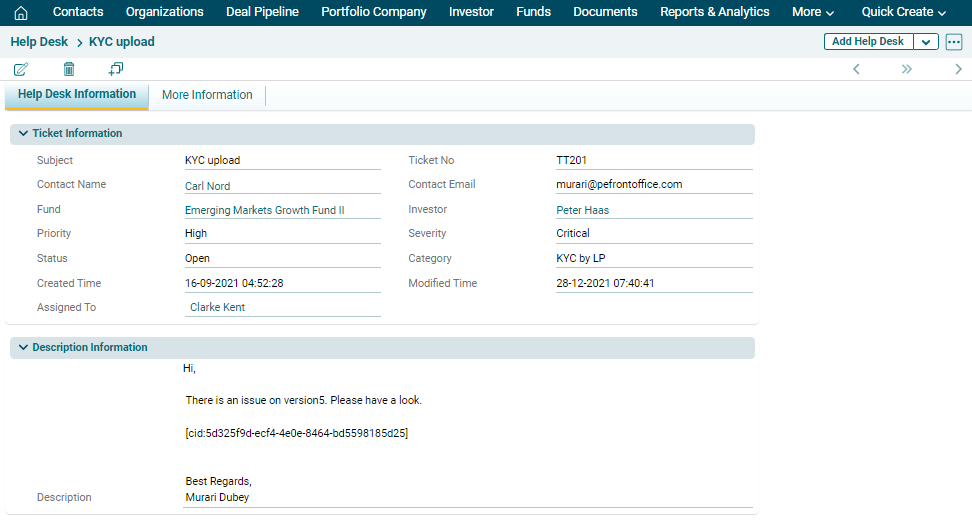
1. Click on the ticket subject.
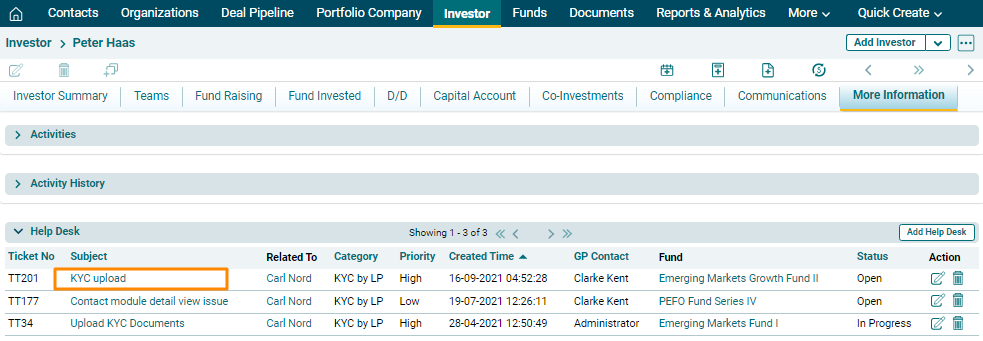
2. The Help Desk Information window is displayed. You can view the complete ticket information here.