Investor Management
Investment Preferences
The Investment Preferences (Co-Investors) panel allows you to capture the investment preferences details of an investor. The details included are:
- Parameter: Choose the parameter from the dropdown list, i.e., Sector, Deal Type, Stakeholding, and Listed Company.
- Value: Based on the parameter choice, choose the value, whether Sector, Deal Type, Stakeholding, or whether the investor preference is a listed company.
- Sub-Parameter: The field is activated when the parameter chosen is Sector.
- Value: Based on the sector chosen, choose the value from the dropdown list.
To modify investment references, follow the below steps:
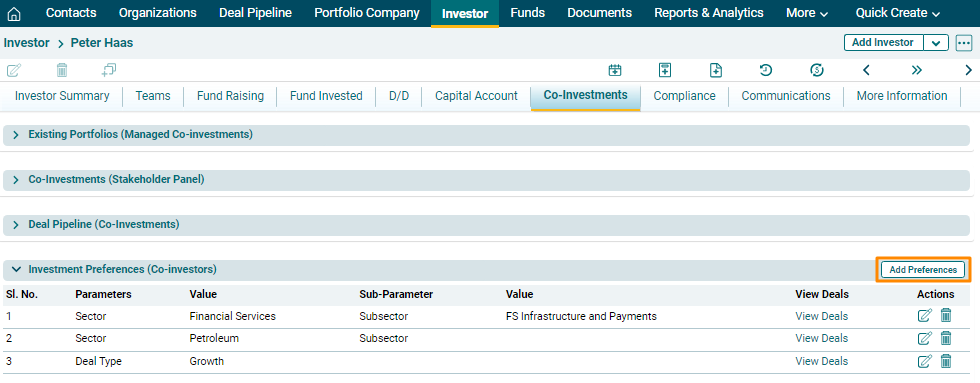
1. Click on Add Preferences button in the top right corner of the panel.
2. Update the details and click  ) button from Actions column to save.
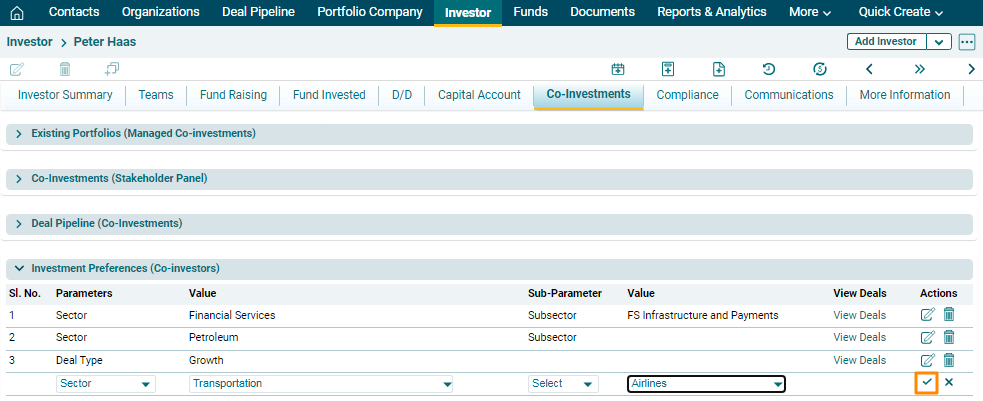
3. To edit investment preference details, click on the Edit icon
( ) in the Actions column. Update the details and click on Check (
 )
button to save.
)
button to save.
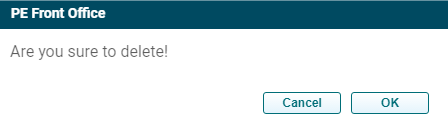
4. To delete investment preference details,
click on the Delete icon ( ) in the Actions column. The delete window is
displayed. Click OK to delete the investment preference details.
) in the Actions column. The delete window is
displayed. Click OK to delete the investment preference details.
5. To view deals related to selected investment
preference, click on the View Deals button.
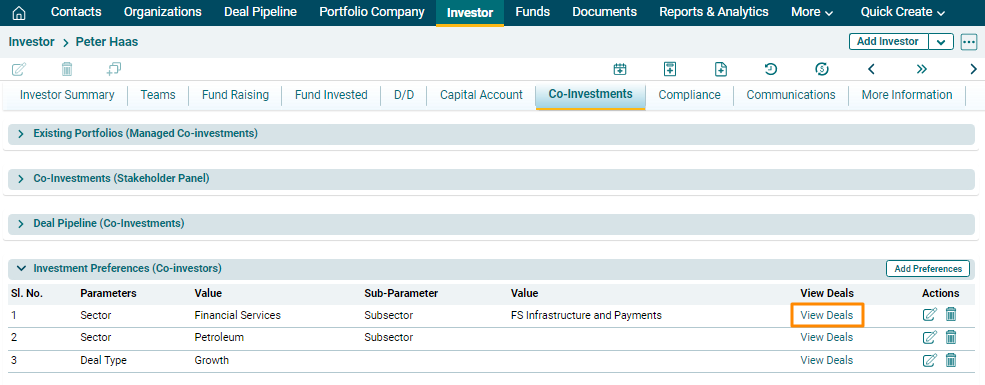
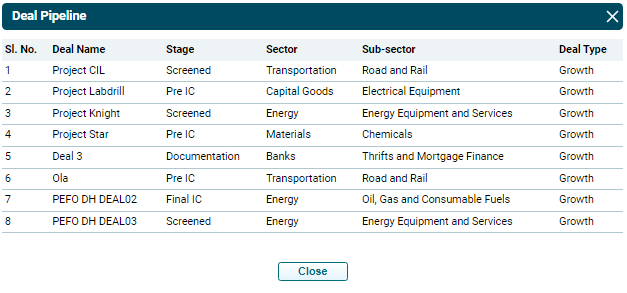
The Deal Pipeline window is displayed, showing the deal matching the investment preference.