
Investor Management
Create an Investor (AIF)
To create a new investor in the fund, follow the below steps:
1. Click on Add Investor in the top right corner.

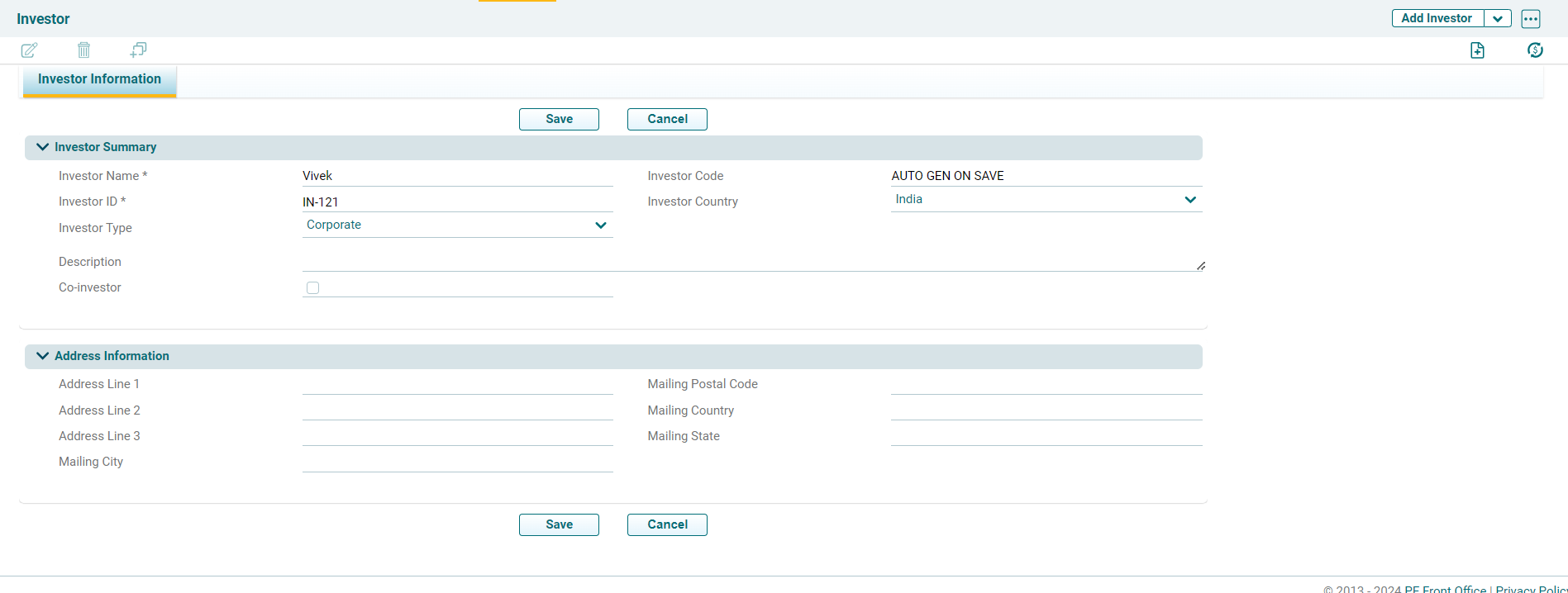
2. The Investor Information tab will open. Enter the information in the below fields and click on save
- Investor Name: Specify the investor name. It is a mandatory field
- Investor Code: It is an auto-generated field.
- Investor ID: Specify the investor ID.
- Investor Country: Specify the investor country.
- Investor Type: Specify the Investor type from the dropdown list.
- Company: If the investor belongs to an existing company, choose the company name.
- Description: Specify a description of the investor. It is a non mandatory field
- Co-Investor: Check the box, if the investor is a co-investor.
3. Investor will get created in the platform which can be viewed in the list view page
