Investor Management
Compliance Rules
Compliance Rules panel allows you to define rule-based compliance checklists and send alerts to the associated party. You can access the extensive, configurable checklists along with alerts, notifications, and document management. The details included are:
- Item: To specify the item for which you are adding the rule, i.e. Audited Financial Statement, Interim Financial Statement, Business Plan, or Others.
- Party: To specify the party concerned, i.e. Investor or Others.
- Frequency: To specify the frequency, i.e. Monthly, Quarterly, Half-Yearly, Annual, or One-Time.
- Period Ended: To specify the period when the rule ends for an item.
- Period Due: To specify the due days.
- No Reminder Date: To specify the date after which no date is to be collected for that rule.
To modify a rule, follow the below steps:
1. Click on Add button in the top right corner of the panel.

2. The field is activated. Update the details and click Check ( ) button from Actions column to save the details.

3. To edit a rule, click on Edit ( ) icon in the Action Column.
Update the details and click on Check (
) icon in the Action Column.
Update the details and click on Check ( ) button to save.
4. To delete a rule,
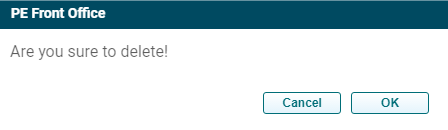
click on Delete ( ) icon in the Action Column. The delete window is displayed.
Click OK to delete the rule.
) icon in the Action Column. The delete window is displayed.
Click OK to delete the rule.
5. To assign a task, click on the Assign Task ( ) button in the
Action column.
) button in the
Action column.
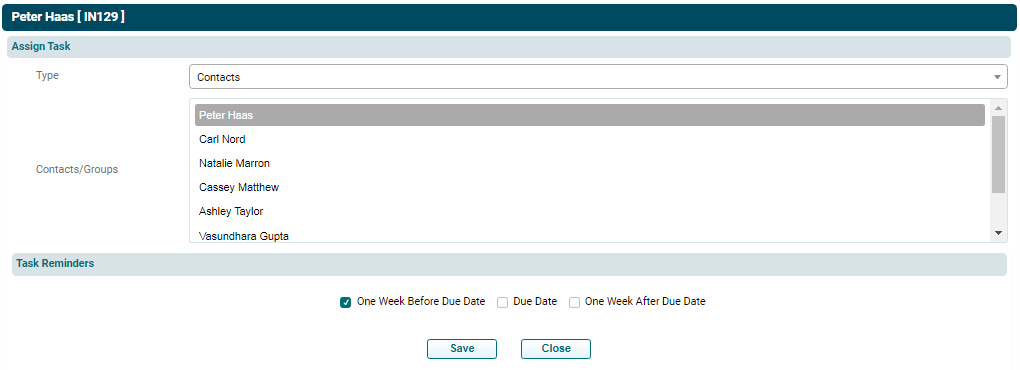
Select the Type, i.e. Contact or Groups. Select the Group or Contact. Check one of the task reminder box, i.e. One Week Before Due Date, Due Date, One Week After Due Date. Click on Save.