Integration
Contact
The PE Front Office plugin will appear on the right-hand side of your outlook window. It allows the user to create a new contact right from Gmail PlugIn and view it in PE Front Office system.
To create a new contact, follow the below steps:
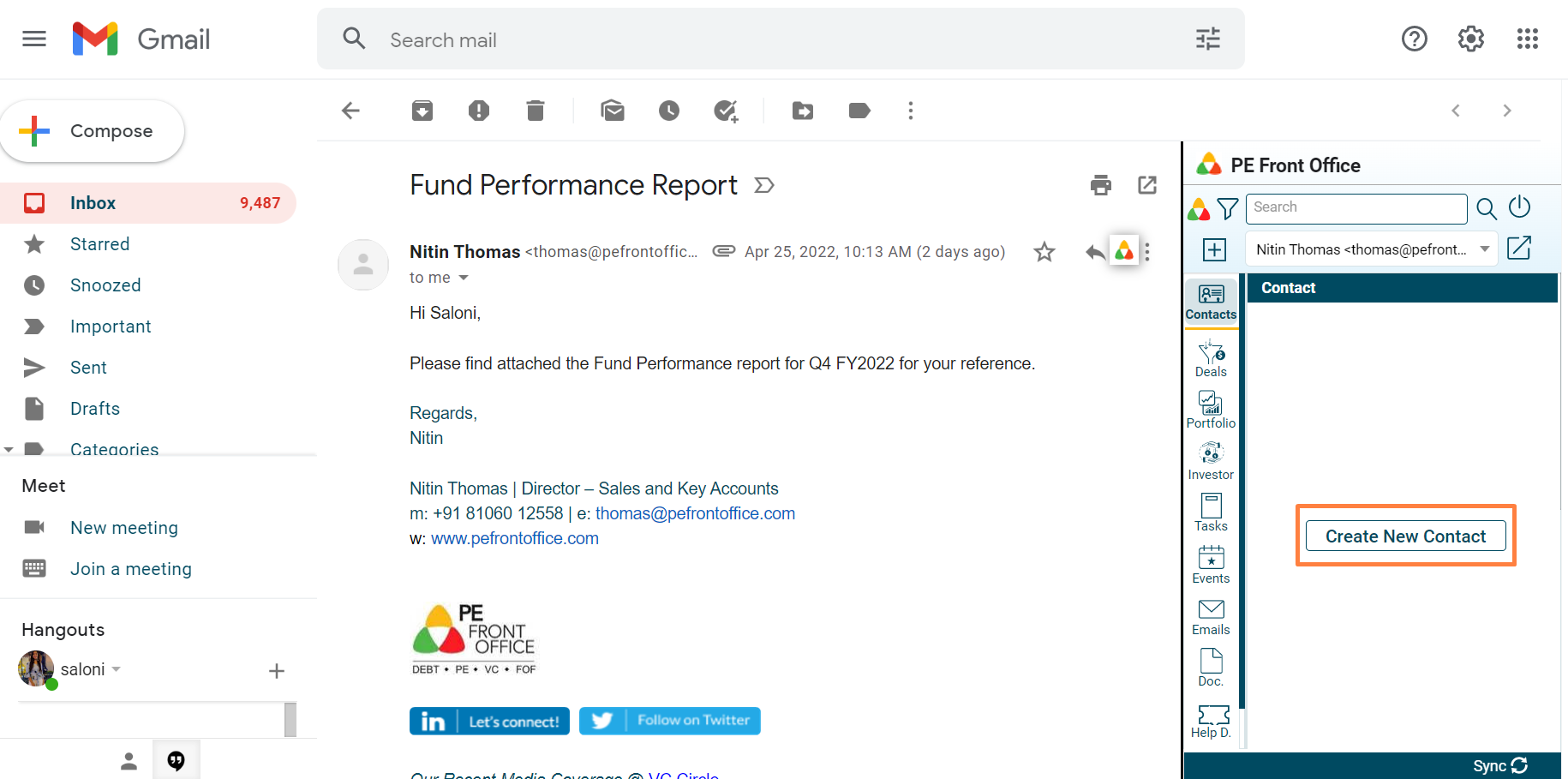
1. If an email has been sent/received to/ from external contact and they are not added as contacts in PE Front Office, you will be prompted to create the contact. Click on Create New Contact button.
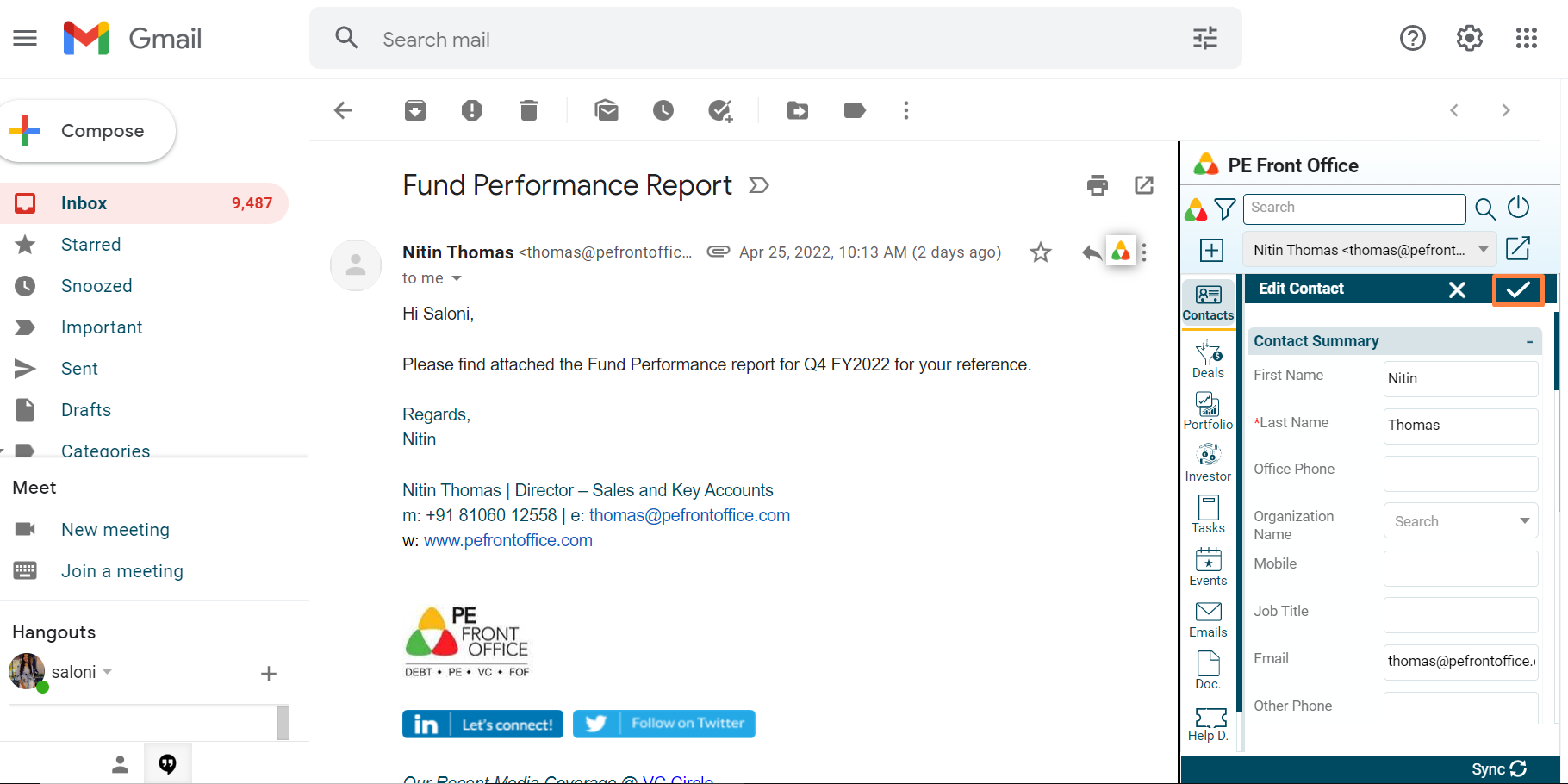
2. Update the details and click on Check button to save.
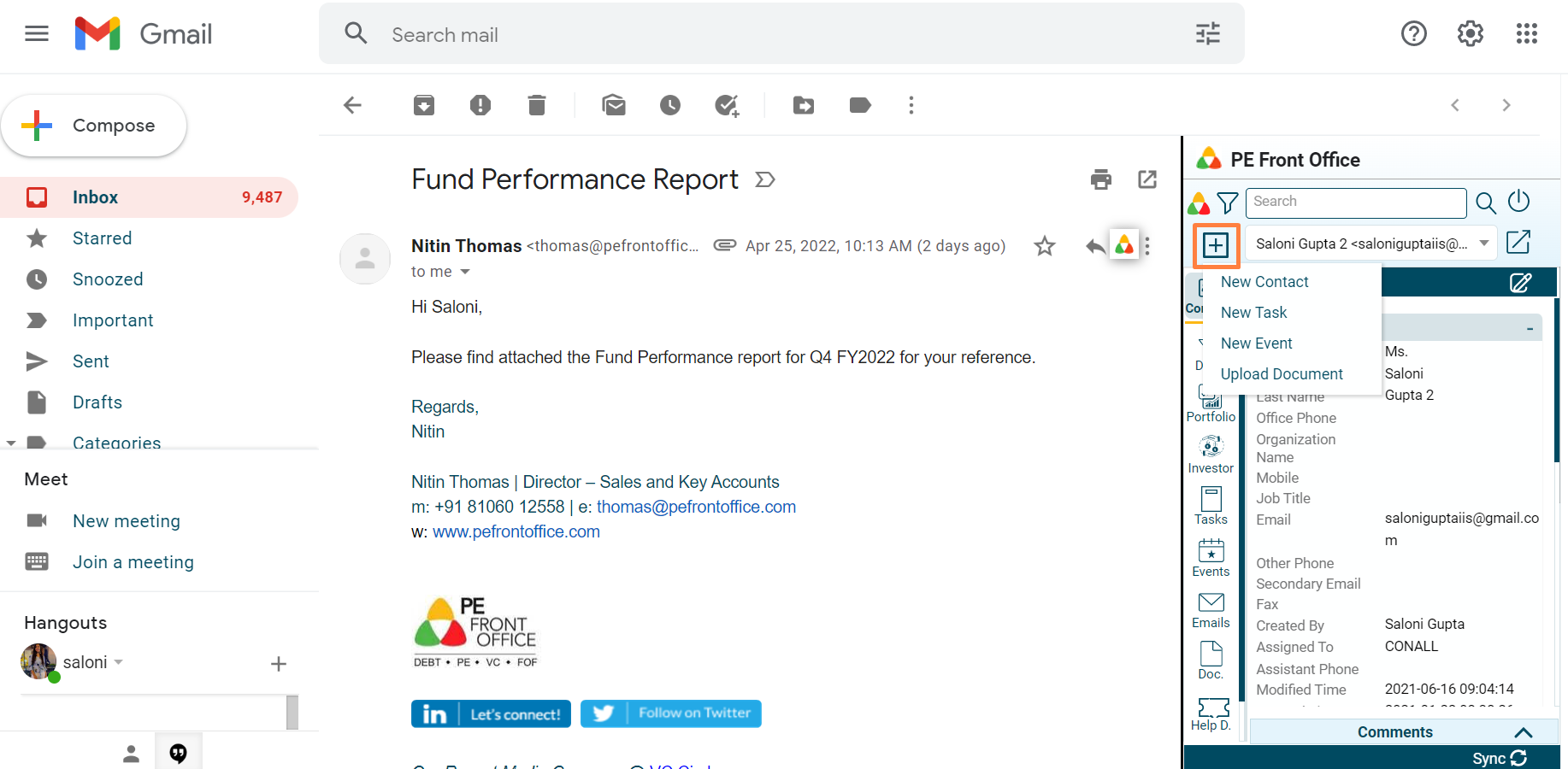
3. You can also add the contact by clicking on the Add menu in the top left corner of the window.