Document Management
Investor Portal Access Rights
Investor Portal Access Rights panel allows you to grant access rights to fund level and investor level folders to different investor's contacts using excel bulk upload.
To grant investor portal access rights, follow the below steps:
1. Click on the Access Rights icon ( ) in the Actions column.
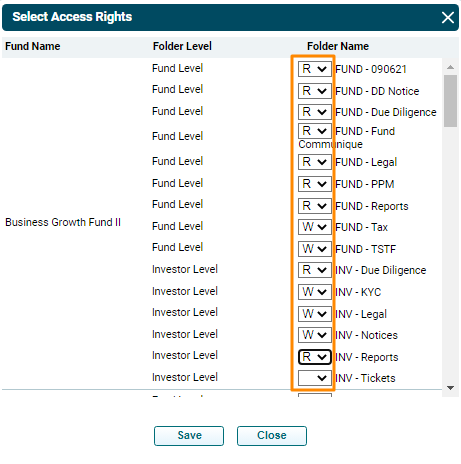
2. Select Access Rights window is displayed. Give Read or Write access for various folders at the fund level and investor level to the user. Click Save. The access rights are updated.