
Document Management
Request Signature
DocuSign allows you to sign documents electronically by requesting signatures from the investors.
To request a signature, follow the below steps:
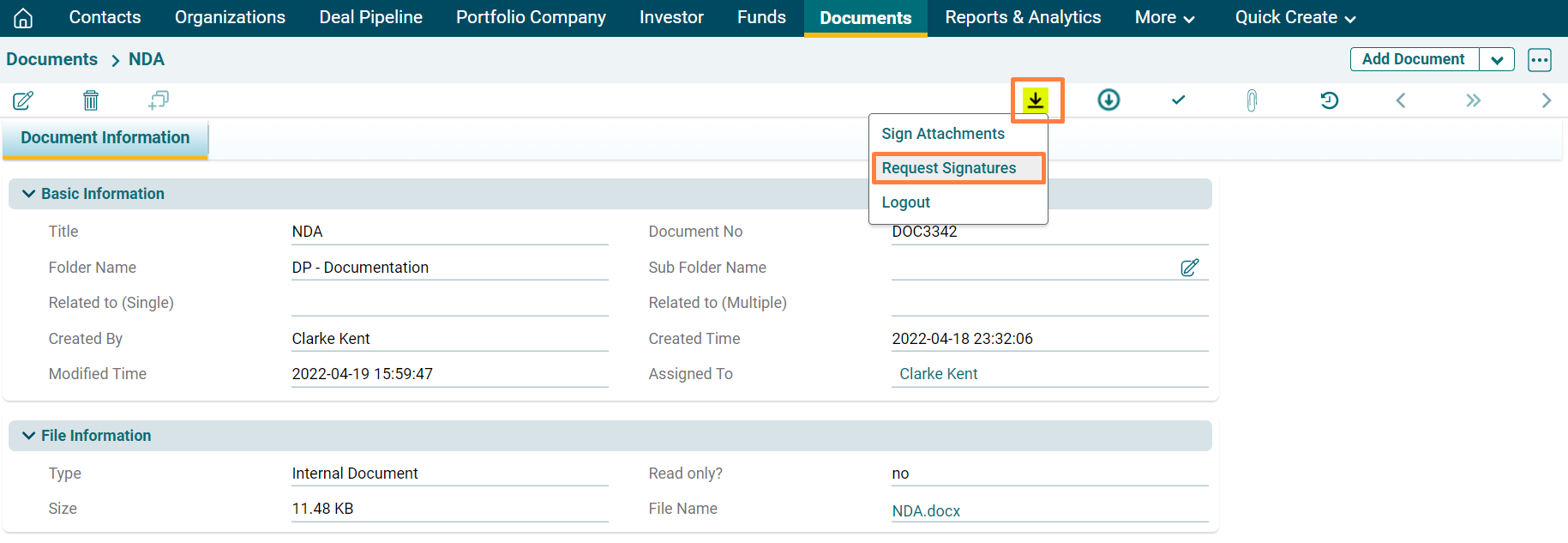
1. Navigate to DocuSign ( ) icon on the top.
2. Click on Request Signatures.
3. The DocuSign window is displayed. The details included are:
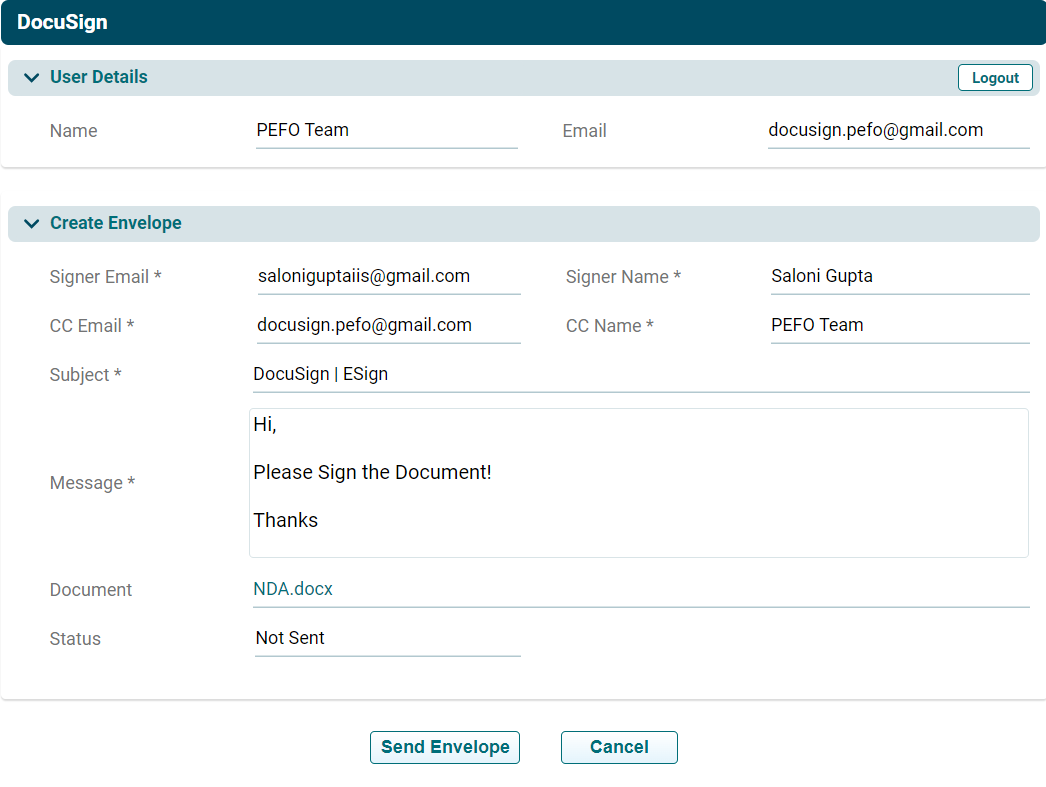
- User Details: The User details are auto-populated based on the DocuSign login.
- Signer Email: Specify the signer’s email. They must be a DocuSign user.
- Signer Name: Specify the signer’s name.
- CC Email: This is an auto-populated field based on the user details but can be modified.
- CC Name: This is an auto-populated field based on the user details but can be modified.
- Subject: This is an auto-populated field but can be modified.
- Message: Specify the message body.
- Document: The document shall be auto-attached. The document must bear the words 'Please Sign Here'.
- Status: Displays the status of the mail, whether sent, not sent, signed, or unsigned.
3. Click Send Envelope to send the envelope via mail to the signer. Once you click Send Envelope, a box will appear on the right side, confirming that the mail has been sent. When the signer opens the attachment, but does not sign it, the box will display the status "Delivered, Continue Signing", confirming that the mail has not been signed yet and is in the process.
4. Once the document has been signed, the status of the document shall be changed to Signed.