
CRM
In the Email panel,
emails can be attached to a particular contact from Outlook Plugin. To view
Emails, follow the below steps:
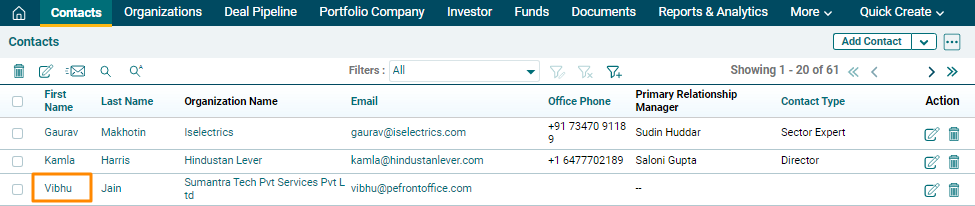
1. Click on Contact to view its corresponding emails.
2.
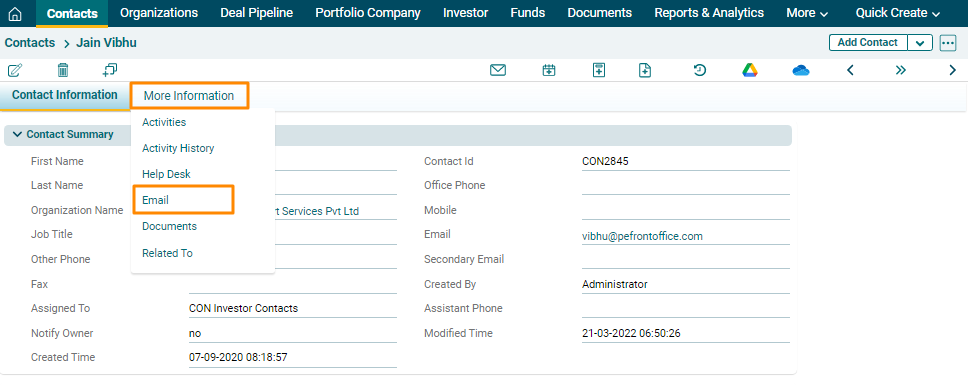
Navigate to the More Information tab and Click on Email.
3.
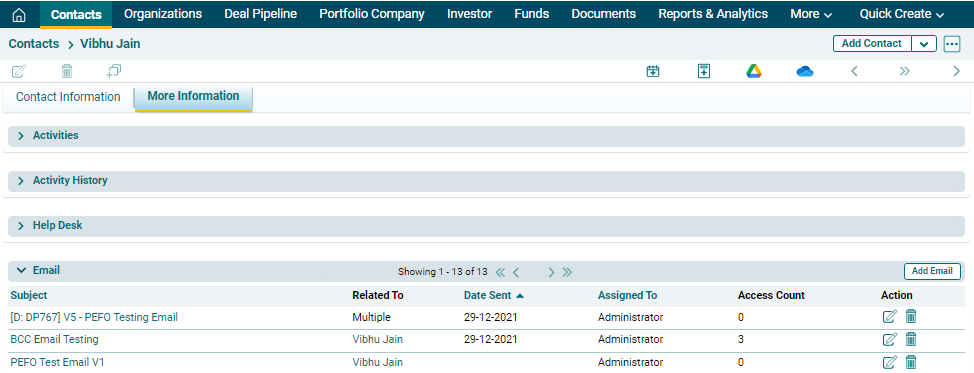
History of important email communication is maintained here for future
reference. Click on the email's subject to view the message.
4. To see, how to attach an Email from Outlook Plugin to a contact, click here.