
Query Management
Edit a Ticket
To edit a ticket, follow the below steps:
1. Navigate to Query Management on the top panel.

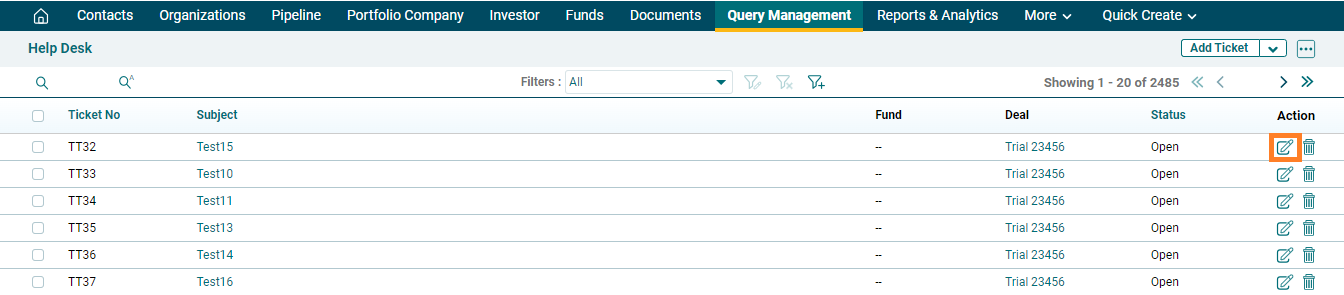
2. To edit a ticket, click on the Edit icon ( ) in the Actions column.
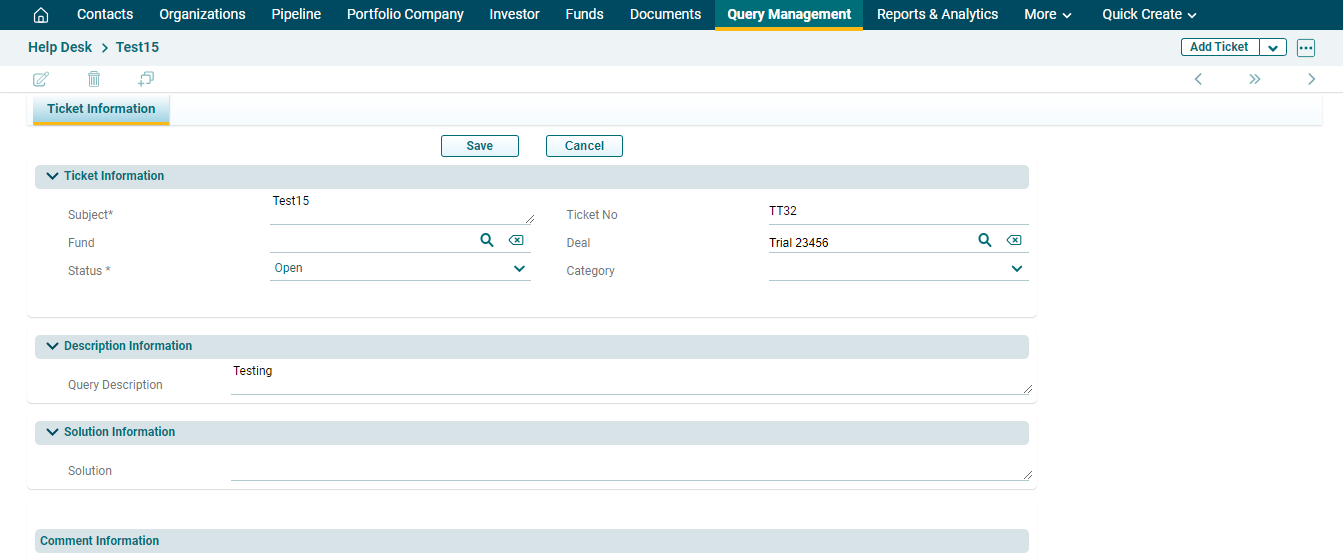
3. Edit the following details then click on save.
To edit a ticket, follow the below steps:
1. Navigate to Query Management on the top panel.
2. To edit a ticket, click on the Edit icon () in the Actions column.
3. Edit the following details then click on save.