Link Deal to a Fund
This tab contains information about
Funds, Co-Investors, Investment Team,
External Team and Deal Stage History. Funds
The Funds panel contains the details of the fund related to that deal.
- Name: Name of the Fund.
- Fund Currency- The currency of the Fund. It will automatically populate.
- Stake: Percentage stake in the deal.
To modify a Fund, follow the below steps:
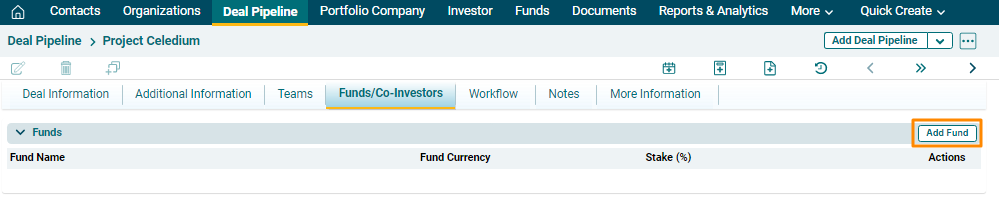
1. Click on the Add Fund button in the top right corner of the panel.
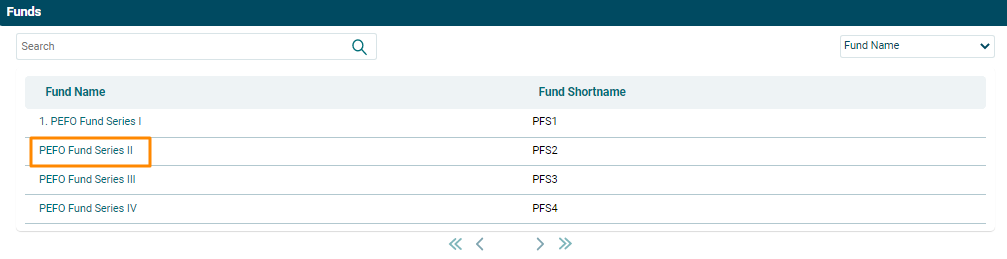
2. Click on Name field. A new window will be displayed with list of funds. Click on the Fund Name.
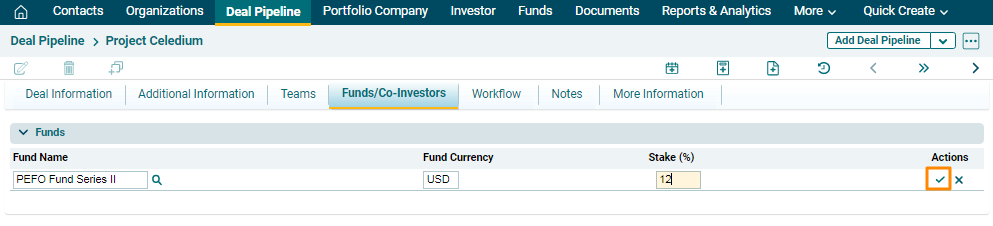
3. Fill the Stake field. Click on the Check button to save the details.
Co-Investors
The Co-Investors panel contains the details of the co-investors related to that deal. The details included are:
- Investor Name: Name of the Investor
- Investor Type: Type of investor
- Interest Level: Interest level of investor in a given fund
- Status: Status of the investor to invest in a given fund
- Likely Investment: Likely investment to be made by the investor in the fund
- Initial Contact: Date on which initial contact is established with the investor
- Term Sheet Sent: Date on which team sheet has been sent to the investor
- DD Access: Date on which DD Access has been provided to the investor
- Legals Sent: Date on which legals has been sent to the investor
- Closure: Date on which communication has been closed with the investor
- Notes: Any notes related to the communication with the investor can be captured
This panel is automatically populated from the Investors Module.

Investment Team
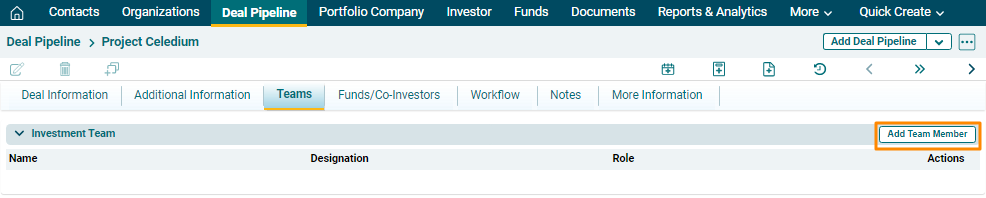
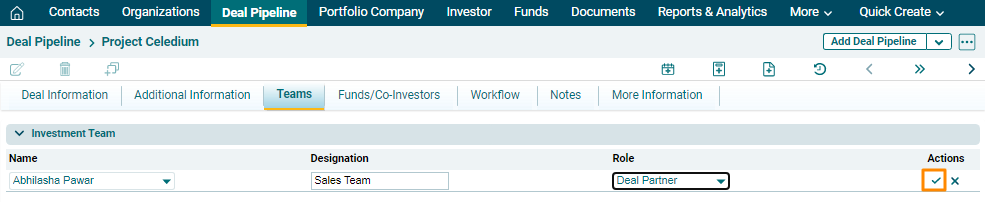
Investment Team panel captures details of internal team members associated with the deal. The details included are:
- Name: Name of the member.
- Designation: Designation of the member. This field will automatically populate.
- Role: Role of the member which includes Deal Originator, Deal Partner, Deal Team Member, and Others.
To modify team member details, follow the below steps:
1. Click on the Add Team Member button in the top right corner.
2. Update the details, and click the Check( ) button from Actions column to save.
External Team
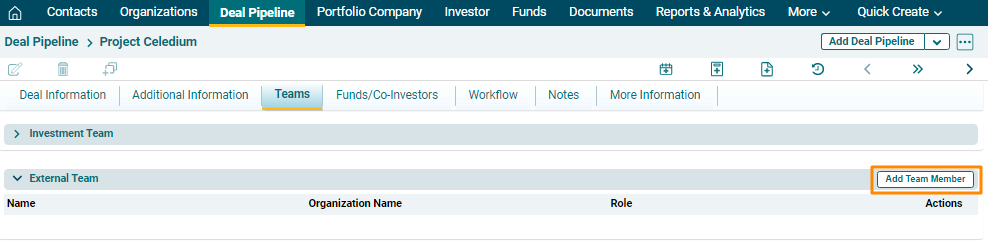
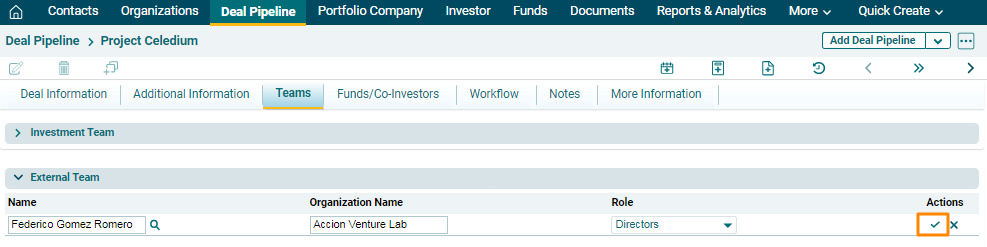
External Team panel captures details of external members associated with the deal. The details included are:
- Name: Name of the member from the Contacts Module.
- Organization Name: Name of the organization will automatically populate from Contacts Module.
- Role: Role of the member which includes Directors, Bankers, Auditors, Advisors, and Others.
To add an external team member, follow the below steps:
1. Click on the Add Team Member button in the top right corner.
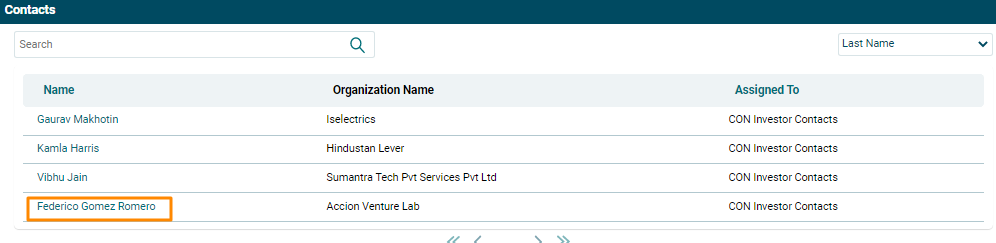
2. Click on the Name field. A new window will pop up with all contact details from CRM. Select the contact associated with the deal.
3.
Deal Stage History
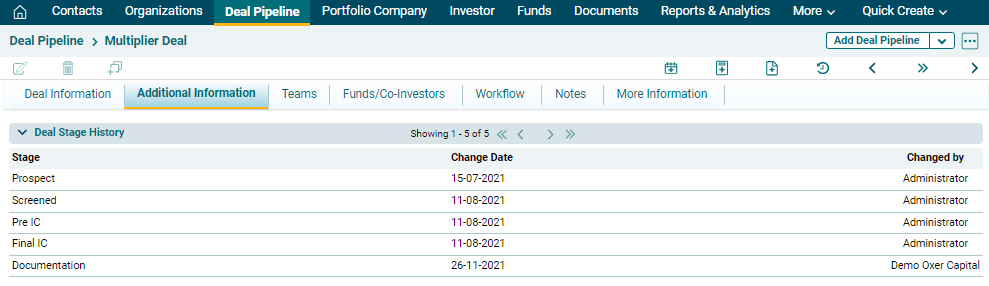
Under the Additional Information tab, you will see Deal Stage History.
This panel displays deal stages through which the deal has passed along with the current stage. The details included are:
- Deal Stage: Stage through which the deal has passed
- Change Date: Date on which the change was made
- Changed By: Name of the user by whom the change was made