Capture Quarterly Fund Level Performance
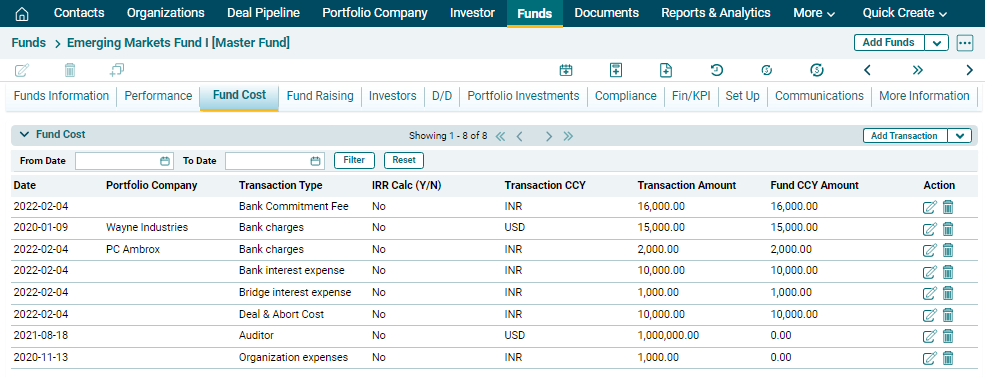
This tab contains information about Portfolio Investment Performance Summary (Qtr), Investor Drawdown Distribution Summary (Qtr), Fund Cost.Portfolio Investment Performance Summary (Qtr)
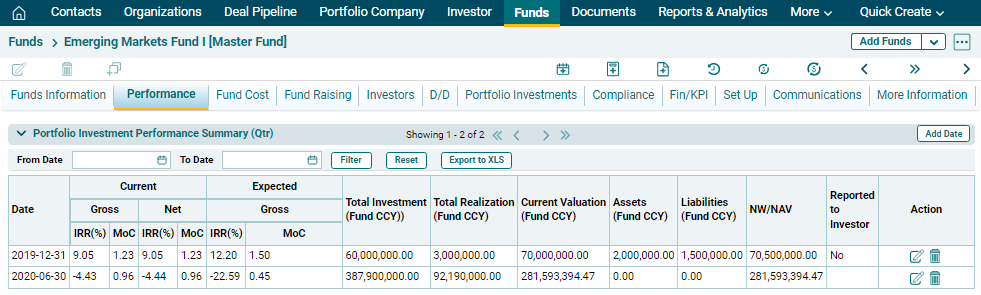
This panel allows you to view the complete overview of a portfolio’s quarterly performance.
You can view and download data related to investments. You can choose dates to specify period for which you wish to view the performance summary. The fields are auto-calculated and the data auto-populates from different tabs. The details included are:
- Date: Displays the date until which you want to calculate the performance.
- Current IRR & MoC: Displays the current Gross and Net IRR & MoC.
- Expected IRR & MoC: Displays the expected Gross and Net IRR & MoC.
- Total Investment (Fund CCY): Displays the total investment in the fund in fund currency.
- Total Realization (Fund CCY): Displays the total realization from the fund in fund currency.
- Current Valuation (Fund CCY): Displays the current valuation of the fund in fund currency.
- Assets (CCY): Displays the total assets of the fund in fund currency.
- Liabilities (Fund CCY): Displays the total liabilities of the fund in fund currency.
- NW/ NAV: Displays the net worth or net asset value of the fun.
- Reported To Investor: Displays whether the performance has been reported to the investor or not.
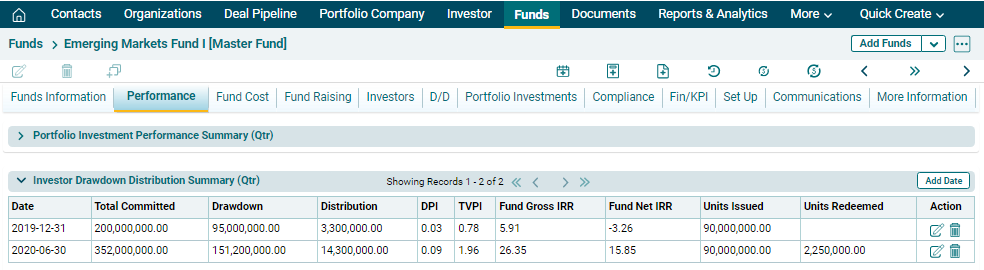
Investor Drawdown Distribution Summary (Qtr) This panel allows you to view the complete overview of a portfolio’s quarterly performance.
You can view and download data related to investments. You can choose dates to specify period for which you wish to view the performance summary. The fields are auto-calculated and the data auto-populates from different tabs. The details included are:
- Date: Displays the date until which you want to calculate the performance.
- Current IRR & MoC: Displays the current Gross and Net IRR & MoC.
- Expected IRR & MoC: Displays the expected Gross and Net IRR & MoC.
- Total Investment (Fund CCY): Displays the total investment in the fund in fund currency.
- Total Realization (Fund CCY): Displays the total realization from the fund in fund currency.
- Current Valuation (Fund CCY): Displays the current valuation of the fund in fund currency.
- Assets (CCY): Displays the total assets of the fund in fund currency.
- Liabilities (Fund CCY): Displays the total liabilities of the fund in fund currency.
- NW/ NAV: Displays the net worth or net asset value of the fun.
- Reported To Investor: Displays whether the performance has been reported to the investor or not.