Getting Started
D/D
This tab forms part of all fund types.
This tab contains four panels- Drawdown/ Distribution History, Units/ Shares Summary, Portfolio Level-Investor Contribution, and Drawdown/ Distribution Notice Templates.
Drawdown/ Distribution History
This panel allows you to capture drawdown and distribution history. You can generate Drawdown and distribution notices, Import D/D details, Import Drawdown and distribution separately, and also export D/D details into excel.
Generate Drawdown/ Distribution Template
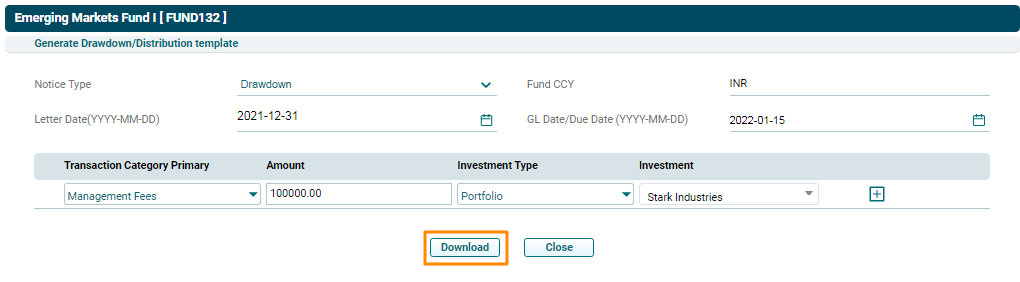
This button allows you to generate Drawdown/ Distribution templates. The details included are:
- Notice Type: Displays the notice type, i.e., Drawdown or Distribution.
- Fund CCY: This is an auto-populated field based on fund selected.
- Letter Date: Displays the date for issuing the notice.
- GL Date/ Due Date: Displays the due date for making payment.
- Transaction Category primary: Based on the Notice type, displays the transaction category. For Drawdown, choose from Investments, Management Fees, Expenses, Establishment Cost, Equalization Investments, Equalization Expenses, and Equalization Establishment Cost. For Distribution, choose from Realization Proceeds, Dividend Payout, and Interest Payout.
- Amount: Displays the amount.
- Investment Type: Displays the investment type.
- Investment: Displays the name of the portfolio company in which investment has been made.
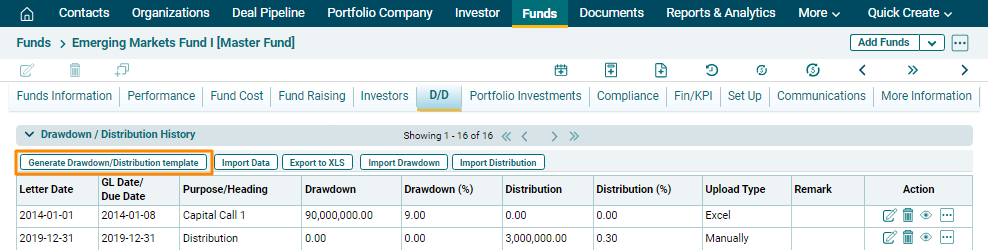
To generate a Drawdown/ Distribution template, follow the below steps:
1. Click on Generate Drawdown/ Distribution Template button in the horizontal bar of the panel.
2. The Generate Drawdown/ Distribution Template window is displayed. Update the details.
3. Click Add ( ) icon to add rows, if any.
4. Click Download.
5. To edit template details, click on the Edit icon ( ) in the Actions column. After making the changes, click on Check (
 ) button to save.
6. To delete a team member’s details, click on the Delete icon ( ) in the Actions column. The delete window is displayed. Click OK to delete the member details.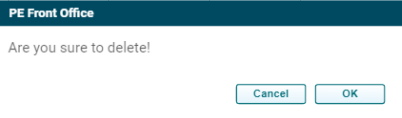
7. To View details of a Drawdown/ Distribution transaction, click on the View () icon in the Actions column. The Fund Details window is displayed.
Import Data
To import D/D data, follow the below steps:
1. Click on Import Data button in the horizontal bar of the panel.
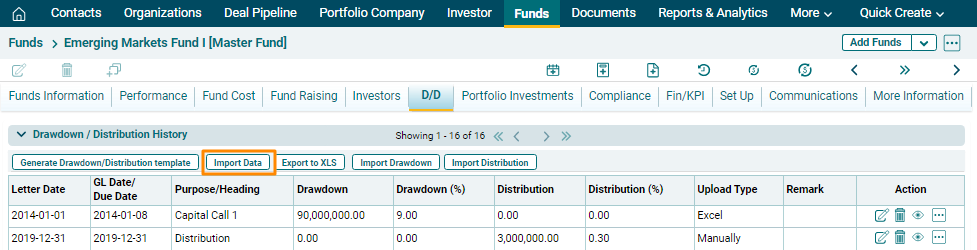
2. The Import Drawdown/ Distribution Template window is displayed. Choose Import Type.
To upload through Excel
3. Choose Excel from the dropdown to import data from excel file. Click Proceed.
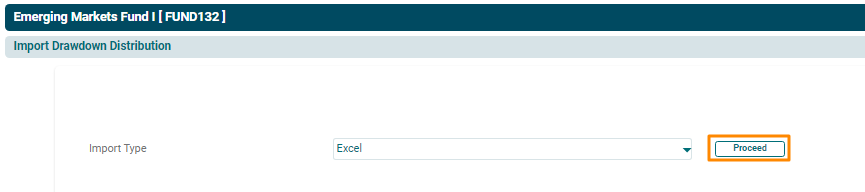
4. The Import Drawdown/ Distribution Excel window is displayed. Click on Choose File.
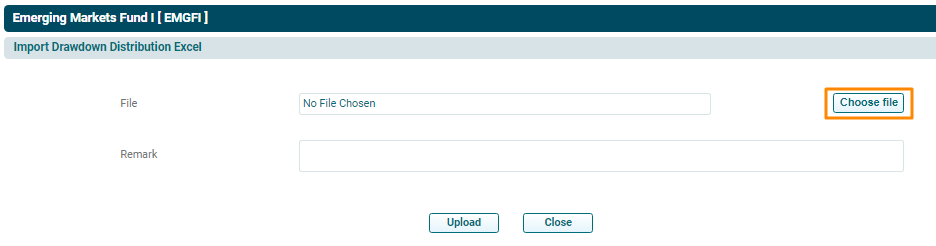
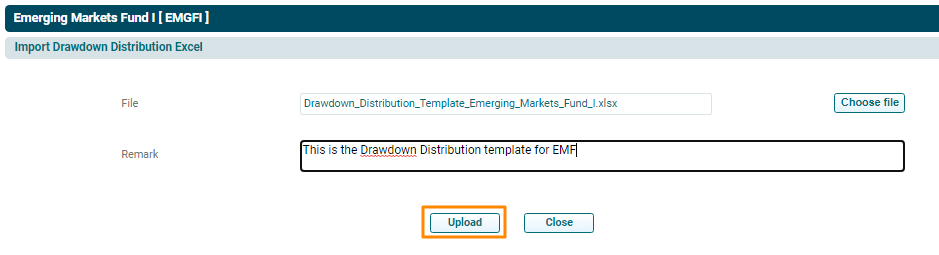
5. Choose the File. Click Upload.
To Upload Manually
6. Choose Manually from the dropdown to enter D/D data manually. Click Proceed.
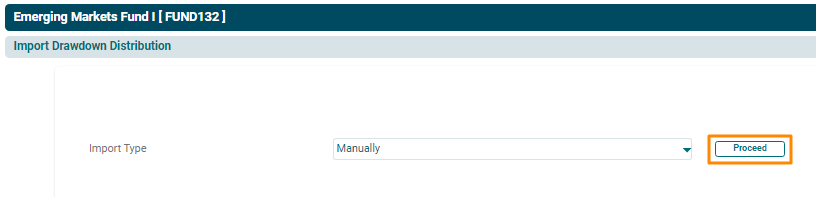
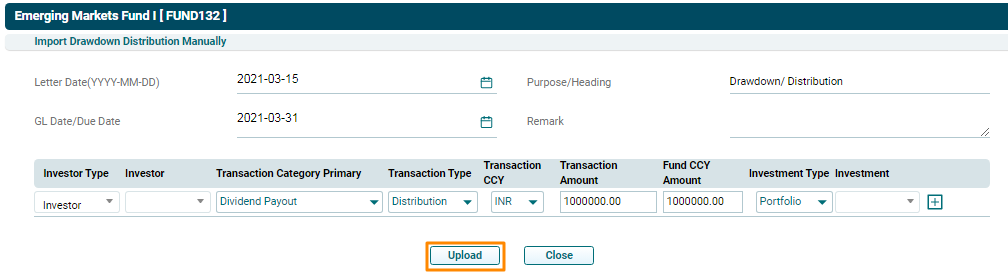
7. The Import Drawdown/ Distribution Manually window is displayed. Enter the following details:
- Letter Date: Specify the date for issuing the notice.
- Purpose/ Heading: Specify the purpose.
- GL Date/ Due Date: Specify the due date for making payment.
- Remarks: Enter remarks, if any.
- Investor Type: Choose an investor type, i.e. Investor or Fund.
- Investor: Choose the investor name.
- Transaction Category primary: Based on the Notice type, choose the transaction category. For Drawdown, choose from Investments, Management Fees, Expenses, Establishment Cost, Equalization Investments, Equalization Expenses, and Equalization Establishment Cost. For Distribution, choose from Realization Proceeds, Dividend Payout, and Interest Payout.
- Transaction Type: Choose transaction type, i.e., Drawdown or Distribution.
- Transaction Amount: Specify the amount.
- Fund CCY Amount: Specify the amount on fund currency
- Investment Type: Choose the investment type.
- Investment: Choose the name of the portfolio company in which investment has been made.
8. Click Add ( ) icon to add rows.
9. Click Upload.