Reports And Analytics
Portfolio Company Summary (Word)
This functionality is only accessible to SRI
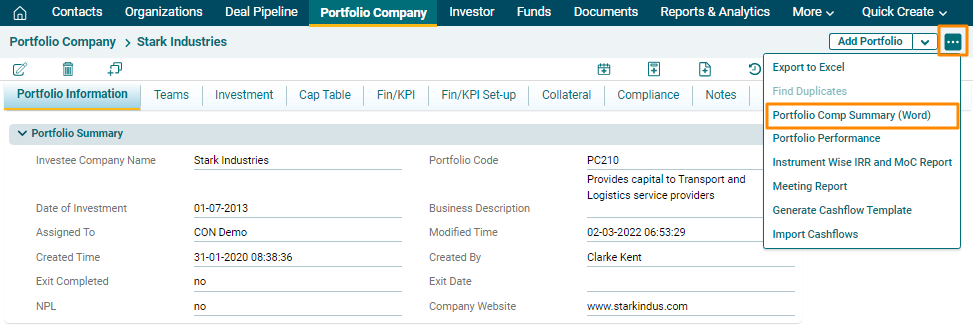
To download the summary of a portfolio company in Word, follow the below steps:
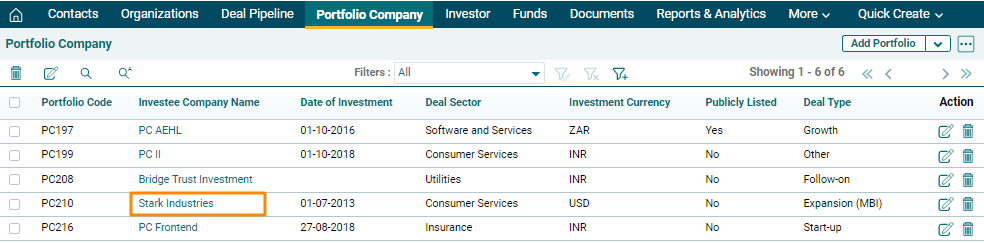
1. Click on Portfolio Company in the main menu.

2. Click on Investee company name for which report has to be downloaded.
3. Click on the three dot menu in the top right corner. Click on Portfolio Comp Summary (Word). The report will download in word format.