
Custom Settings
Master Data Management
You can make changes to Master Data and Transaction Type in PE Front Office.
To change Master Data or Transaction Type, follow the below steps:
1. In the Custom Settings, click on Master Data Management
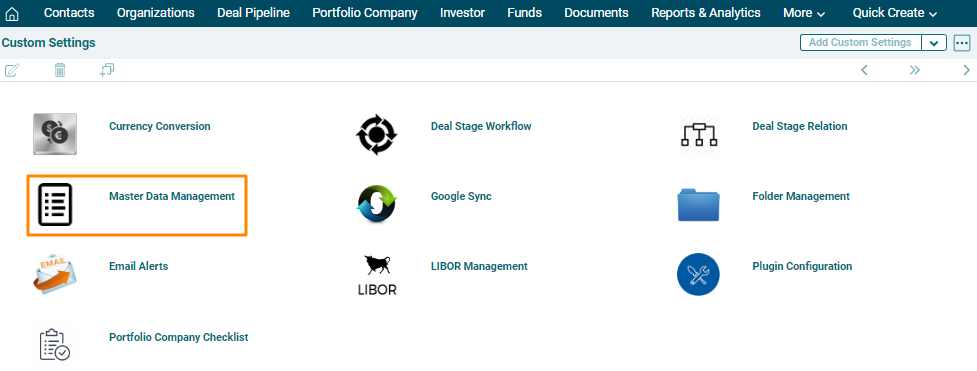
2. The Custom Settings window is displayed. Select a field type.
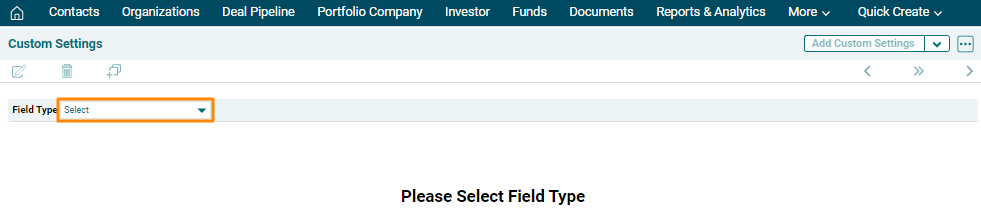
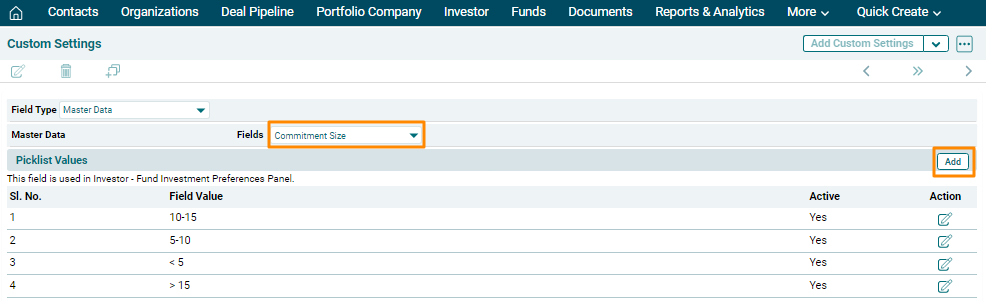
3. Choose a field. To add a picklist value, click Add button in top right
corner of the panel.
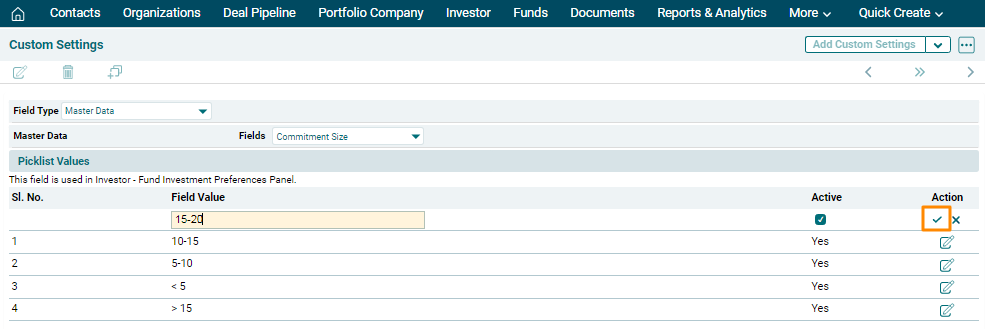
4. The field is activated. Enter the Field Value. Click the check box to make the picklist value active. Click the Check button to save.
5. To edit a picklist value, click on the Edit icon
( ) in the Actions column. Update the details and click on Check (
 ) button to save.